
IconCool Manager
Version 5.42.90620
Shareware
$35.50
0 downloads
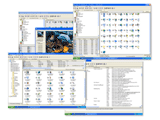
IconCool is a powerful tool to manage, extract,
convert, modify, search, create, enlarge or reduce xp
icons and vista icons. An icon library with dozens of
sample entries is included and accessible through a
tree-style organizational system, allowing you to
categorize icons and create new libraries within
them. You can search icons in the library by
keywords, and even add or edit the keywords of any
icon. An icon search, extraction and conversion tab
lets you view icons within files and save them in
various sizes as ICO, CUR, GIF, JPG, BMP,r PNG, EMF,
TGA, WMF, TIF and WBMP format images. You can also
convert images from 25 formats to icons. You can
export a total icon library to an ICL file. You can
move icons easily using the powerful Drag and Drop
functions. IconCool has some special and fascinating
functions: A.)IconCool can enlarge or reduce a
transparent icon, and the new icon will be
transparent too; B.)IconCool can convert any part of
a picture to a transparent icon by simply dragging
your mouse; C.) IconCool can change the color depth
of icons easily; D.) The smart image capturing tool
can be used to capture images of various sizes from
your desktop or any other software. A third tab
includes a large directory of 800 icon web sites and
allows you to edit, delete, and add sites. Now
IconCool supports Windows XP 32bit icons. Now you can
drag-drop icon files from your Windows Explorer to
any icon library.Icon library, icon extractor & icon
manager.1000 free sample icons included.
convert, modify, search, create, enlarge or reduce xp
icons and vista icons. An icon library with dozens of
sample entries is included and accessible through a
tree-style organizational system, allowing you to
categorize icons and create new libraries within
them. You can search icons in the library by
keywords, and even add or edit the keywords of any
icon. An icon search, extraction and conversion tab
lets you view icons within files and save them in
various sizes as ICO, CUR, GIF, JPG, BMP,r PNG, EMF,
TGA, WMF, TIF and WBMP format images. You can also
convert images from 25 formats to icons. You can
export a total icon library to an ICL file. You can
move icons easily using the powerful Drag and Drop
functions. IconCool has some special and fascinating
functions: A.)IconCool can enlarge or reduce a
transparent icon, and the new icon will be
transparent too; B.)IconCool can convert any part of
a picture to a transparent icon by simply dragging
your mouse; C.) IconCool can change the color depth
of icons easily; D.) The smart image capturing tool
can be used to capture images of various sizes from
your desktop or any other software. A third tab
includes a large directory of 800 icon web sites and
allows you to edit, delete, and add sites. Now
IconCool supports Windows XP 32bit icons. Now you can
drag-drop icon files from your Windows Explorer to
any icon library.Icon library, icon extractor & icon
manager.1000 free sample icons included.
Program details
Publisher
Wang PeibingE-mail
Contact the publisherHome page
http://www.iconcool.com/Platforms
Windows 98<br>Windows ME<br>Windows NT 3.x<br>WindFile size
10449 KBFile date
6/20/2009License
SharewareExpires after
30 daysExpiration info
noInstallation
Install & UninstallRecord updated
6/25/2009


