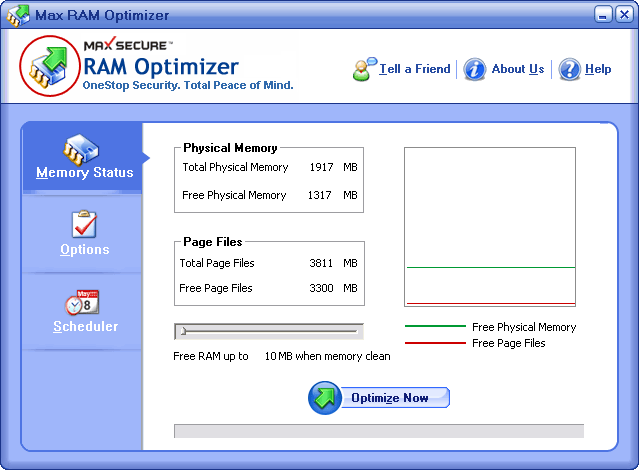

Max RAM Optimizer
Version 1.0.0.3
Shareware
$19.99
0 downloads
Max RAM Optimizer provides fully Automation option.
You don’t need to monitor your pc continuously; Max
RAM Optimizer does this for you. Whenever your pc’s
memory goes below to a limit selected by you, it will
increase available physical memory automatically
moreover you have also option to optimize your pc’s
memory on regular intervals.
Max RAM optimizer provides several features to
facilitate optimization process. You can start
optimizing when you start windows. You can move it
to system tray at your option, being in system tray
it continuously monitors your pc. After optimization
process, you can see in the optimization report how
much memory has been released in this optimization
process. Option for clearing clipboard content also
has been provided.
Increases the amount of Memory available.
Defragment your physical memory.
Recovers Memory from Windows and other applications.
Recovers Memory leaks from unstable programs.
Displays real-time graph of available physical and
virtual Memory.
Lets you run large applications simultaneously
without slowing down your system.
Free a lot of unused memory which was taken by
processes who allocated too much memory.
Ultimately, Max RAM Optimizer is very user friendly
which removes the tension of your pc’s memory from
your memory. So use the Max RAM Optimizer and free
your memory from the problems of your pc’s memory.
You don’t need to monitor your pc continuously; Max
RAM Optimizer does this for you. Whenever your pc’s
memory goes below to a limit selected by you, it will
increase available physical memory automatically
moreover you have also option to optimize your pc’s
memory on regular intervals.
Max RAM optimizer provides several features to
facilitate optimization process. You can start
optimizing when you start windows. You can move it
to system tray at your option, being in system tray
it continuously monitors your pc. After optimization
process, you can see in the optimization report how
much memory has been released in this optimization
process. Option for clearing clipboard content also
has been provided.
Increases the amount of Memory available.
Defragment your physical memory.
Recovers Memory from Windows and other applications.
Recovers Memory leaks from unstable programs.
Displays real-time graph of available physical and
virtual Memory.
Lets you run large applications simultaneously
without slowing down your system.
Free a lot of unused memory which was taken by
processes who allocated too much memory.
Ultimately, Max RAM Optimizer is very user friendly
which removes the tension of your pc’s memory from
your memory. So use the Max RAM Optimizer and free
your memory from the problems of your pc’s memory.
Program details
Publisher
Max SecureE-mail
Contact the publisherPlatforms
Windows 98<br>Windows ME<br>Windows 2000<br>WindowFile size
1267 KBFile date
10/31/2009License
SharewareExpiration info
Installation
Install & UninstallRecord updated
12/19/2009


