
Scan To Sage Customer
Version 3.2
Shareware
$179.00
0 downloads
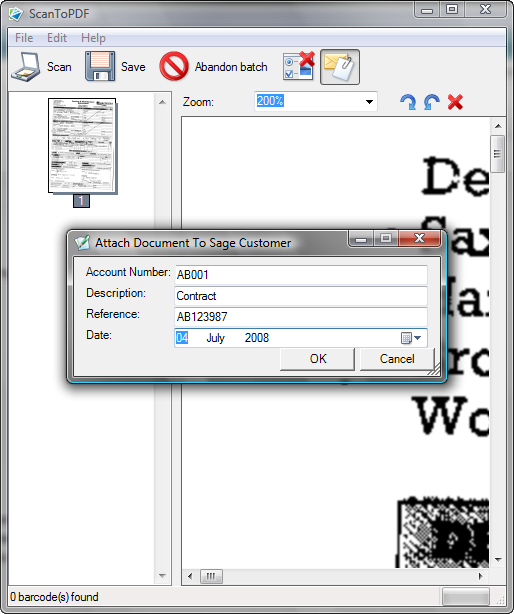
Scan and save as PDF: Attach direct to Sage Customer
Account. Simply place the documents in the scanner's
sheet feeder, click on the scan button, enter an
account number and other optional details.PDF files are
an ideal method of storing, viewing and emailing copies
of your documents.
The system can be extended to automaticlly update an
SQL compliant database and upload the PDF to a web site.
Scan and save as PDF: Attach direct to Sage Customer
Account. Simply place the documents in the scanner's
sheet feeder, click on the scan button, enter an
account number and other optional details.
Account. Simply place the documents in the scanner's
sheet feeder, click on the scan button, enter an
account number and other optional details.PDF files are
an ideal method of storing, viewing and emailing copies
of your documents.
The system can be extended to automaticlly update an
SQL compliant database and upload the PDF to a web site.
Scan and save as PDF: Attach direct to Sage Customer
Account. Simply place the documents in the scanner's
sheet feeder, click on the scan button, enter an
account number and other optional details.
Program details
Publisher
Bertrand JobertE-mail
Contact the publisherPlatforms
Windows 98<br>Windows NT 4.x<br>Windows 2000<br>WiFile size
184 KBFile date
7/7/2008License
SharewareInstallation
Install & UninstallRecord updated
1/28/2010


