
Dream SWF to AVI Converter
Version 3.0.1.0
Shareware
$19.95
0 downloads
As its name shows, you can convert SWF to AVI or AVI
to SWF with the Dream SWF to AVI converter which is
high quality and fast speed. AVI is very popular video
on pc and internet, Dream SWF to AVI Converter can
help you convert videos from Macromedia or Adobe
system to pc or internet.
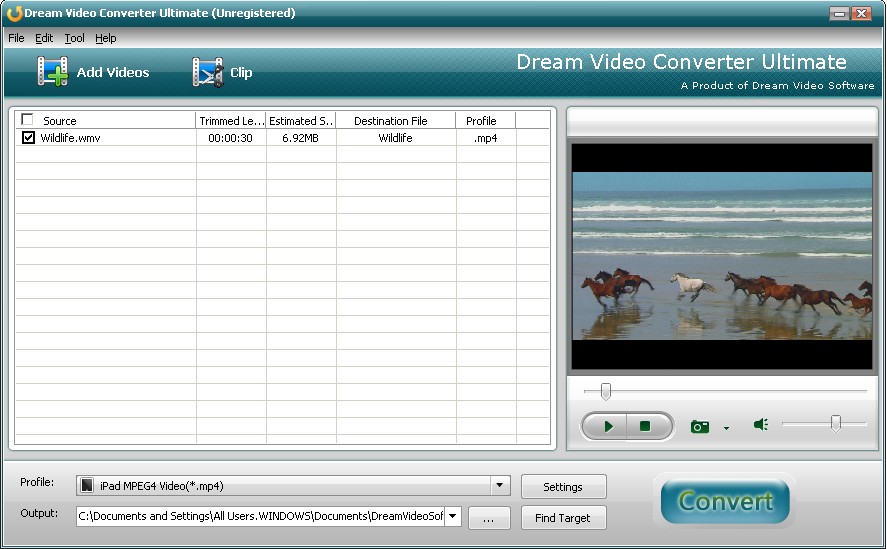
It supports conversion:Convert SWF to AVI and AVI to
SWF;Convert SWF to WMV,MPEG,3GP,RM,MOV,DivX and XviD
video file. All the conversion will be finished within
a few minutes with fast speed by converting them in
batches simultaneously ¨C without slowing your
computer down! The program can automatically shut down
your PC after conversion if you like. Choose from an
array of predefined file formats for conversion or
manually set your own file format and then save as
your own profile for future use.Clip only a segment
from a video you choose by specifying the start time
and duration. If you want to play several segments at
one time, you can merge several videos into one file,
in the setting page, choose merger into one file.
Split a large file into several so you can fit them to
to SWF with the Dream SWF to AVI converter which is
high quality and fast speed. AVI is very popular video
on pc and internet, Dream SWF to AVI Converter can
help you convert videos from Macromedia or Adobe
system to pc or internet.
It supports conversion:Convert SWF to AVI and AVI to
SWF;Convert SWF to WMV,MPEG,3GP,RM,MOV,DivX and XviD
video file. All the conversion will be finished within
a few minutes with fast speed by converting them in
batches simultaneously ¨C without slowing your
computer down! The program can automatically shut down
your PC after conversion if you like. Choose from an
array of predefined file formats for conversion or
manually set your own file format and then save as
your own profile for future use.Clip only a segment
from a video you choose by specifying the start time
and duration. If you want to play several segments at
one time, you can merge several videos into one file,
in the setting page, choose merger into one file.
Split a large file into several so you can fit them to
Program details
Publisher
Jason SherwinE-mail
Contact the publisherPlatforms
Windows 98<br>Windows XPFile size
5839 KBFile date
8/4/2010License
SharewareInstallation
Install & UninstallRecord updated
4/15/2010