
HelpBeam Remote Support Quick Connect
Version 1.0
Shareware
$29.00
1 downloads
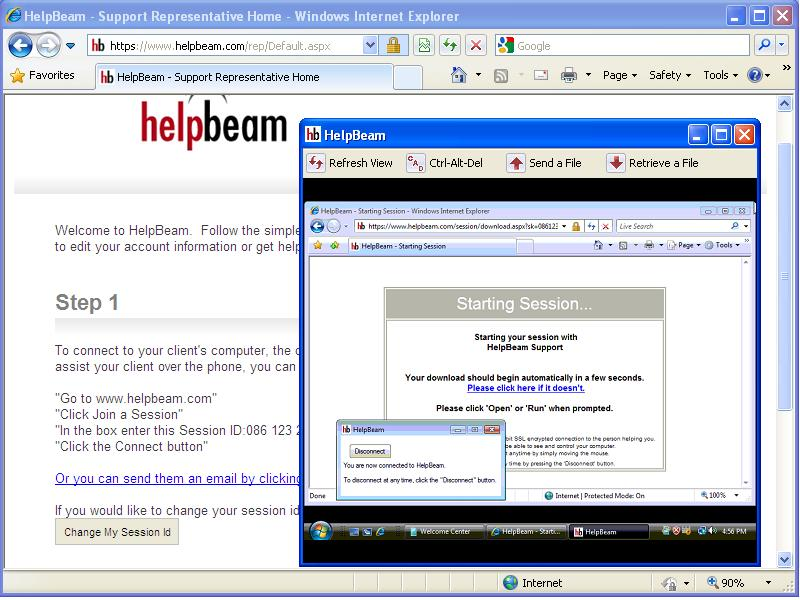
HelpBeam Quick Connect lets you instantly connect to
and control a remote user's computer over the
Internet, across firewalls and proxies.
The Quick Connect sits in your taskbar. One click
starts a remote support session.
All the customer must do is visit the HelpBeam web
site and download a small application. The support
technician can then view, control and transfer files
in real time on their machine.
Here are some key features of HelpBeam:
- Very Simple to Use
- Remote Desktop View
- Remote Keyboard and Mouse Control
- No Installation Necessary for the Remote User
- 128 Bit End to End SSL Encryption
- Connect in Seconds
- Firewall Friendly
and control a remote user's computer over the
Internet, across firewalls and proxies.
The Quick Connect sits in your taskbar. One click
starts a remote support session.
All the customer must do is visit the HelpBeam web
site and download a small application. The support
technician can then view, control and transfer files
in real time on their machine.
Here are some key features of HelpBeam:
- Very Simple to Use
- Remote Desktop View
- Remote Keyboard and Mouse Control
- No Installation Necessary for the Remote User
- 128 Bit End to End SSL Encryption
- Connect in Seconds
- Firewall Friendly
Program details
Publisher
HelpBeam HelpBeamE-mail
Contact the publisherPlatforms
Windows 2000<br>Windows XPFile size
142 KBFile date
4/30/2010License
SharewareInstallation
Install & UninstallRecord updated
5/1/2010

