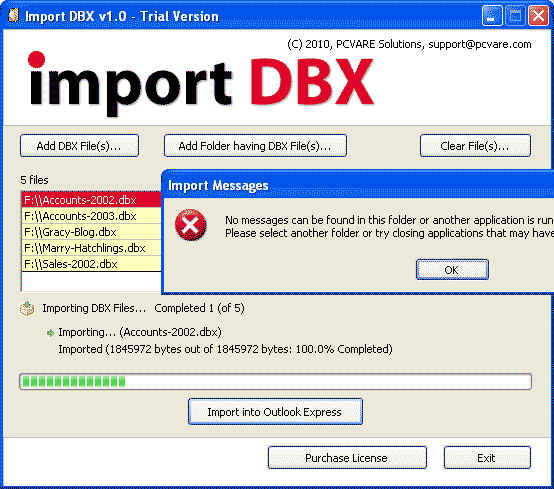

OE No Messages can be Found Error Fix
Version 1.0
Shareware
$69.00
0 downloads
No messages can be found in this folder or another
application is running that has the required files
open. Please select another folder or try closing
applications that may have files open - This is a
common error message you encounter when you use
Outlook Express Import Option. If you ever faced such
Outlook Express import problem and you need to import
dbx file into Outlook Express then PCVARE Import DBX
is the instant solution for you. Import DBX is a
perfect tool which aids OE users in the process of
importing .dbx files into Outlook Express. PCVARE is
offering Trial version of the Import DBX software for
FREE to test the dbx import process. Trial version
only allows importing of dbx files having file size
smaller then 2 MB. Licensed version of Import DBX tool
imports dbx files without any limitation.
application is running that has the required files
open. Please select another folder or try closing
applications that may have files open - This is a
common error message you encounter when you use
Outlook Express Import Option. If you ever faced such
Outlook Express import problem and you need to import
dbx file into Outlook Express then PCVARE Import DBX
is the instant solution for you. Import DBX is a
perfect tool which aids OE users in the process of
importing .dbx files into Outlook Express. PCVARE is
offering Trial version of the Import DBX software for
FREE to test the dbx import process. Trial version
only allows importing of dbx files having file size
smaller then 2 MB. Licensed version of Import DBX tool
imports dbx files without any limitation.
Program details
Publisher
PCVARE SolutionsE-mail
Contact the publisherPlatforms
Windows 98<br>Windows XPFile size
1183 KBFile date
7/23/2010License
SharewareInstallation
Install & UninstallRecord updated
7/23/2010


