
How to Import Outlook Contacts to Lotus Notes
Version 6.4
Shareware
$79.00
0 downloads
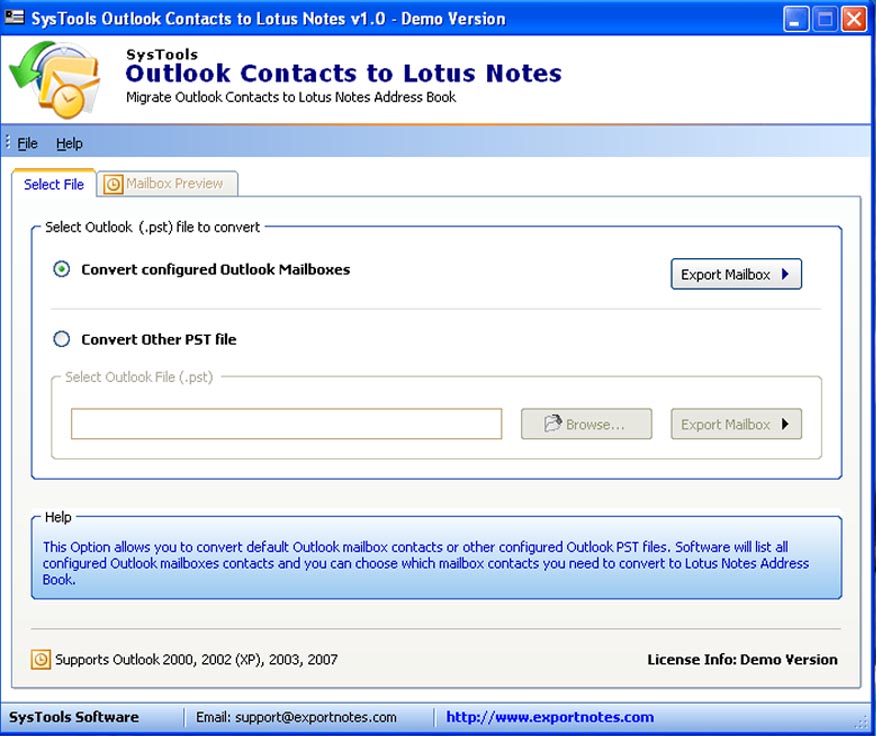
If you are looking for an outlook address book to lotus
notes conversion tool to import outlook contacts to
lotus notes then you can try SysTools outlook contacts
to lotus notes software, which can easily convert huge
contacts list information like (First name, Last name,
Address, email etc) of your PST files and can convert
both the Contacts PST files like Orphan and Configured
PST files. SysTools Outlook Contacts to Lotus Notes
assures that your entire Outlook contacts data &
information will be migrated to Lotus Notes contacts
folder which is by default save in names.nsf file. At
the first look importing outlook contacts to lotus
notes 8 software gives the impression of being the best
Outlook contacts Conversion tool. Software will just
convert Outlook Contacts File to Notes and save in
(names.nsf). As conversion process is completed, the
converted PST to Notes Contacts Folder will be easily
accessed in Lotus Notes software. SysTools Outlook
Contacts to Lotus Notes program supports almost every
version of Microsoft Outlook 2010, 2007, 2003, XP, 2000
& 97 and Lotus Notes 8.5, 8.0, 7.0, 6.5 & 5.0. This
utility successfully supports & runs with Windows
Operating System Windows 98, ME, 2002, 2003, XP, Vista
& Windows7. Trial version of import outlook contacts to
lotus notes is available at our website that is
absolutely free. Demo version help users to get a clear
view about the query how to import outlook contacts to
lotus notes? at $79 you can obtain the full version of
Migrate Outlook to Notes software.
notes conversion tool to import outlook contacts to
lotus notes then you can try SysTools outlook contacts
to lotus notes software, which can easily convert huge
contacts list information like (First name, Last name,
Address, email etc) of your PST files and can convert
both the Contacts PST files like Orphan and Configured
PST files. SysTools Outlook Contacts to Lotus Notes
assures that your entire Outlook contacts data &
information will be migrated to Lotus Notes contacts
folder which is by default save in names.nsf file. At
the first look importing outlook contacts to lotus
notes 8 software gives the impression of being the best
Outlook contacts Conversion tool. Software will just
convert Outlook Contacts File to Notes and save in
(names.nsf). As conversion process is completed, the
converted PST to Notes Contacts Folder will be easily
accessed in Lotus Notes software. SysTools Outlook
Contacts to Lotus Notes program supports almost every
version of Microsoft Outlook 2010, 2007, 2003, XP, 2000
& 97 and Lotus Notes 8.5, 8.0, 7.0, 6.5 & 5.0. This
utility successfully supports & runs with Windows
Operating System Windows 98, ME, 2002, 2003, XP, Vista
& Windows7. Trial version of import outlook contacts to
lotus notes is available at our website that is
absolutely free. Demo version help users to get a clear
view about the query how to import outlook contacts to
lotus notes? at $79 you can obtain the full version of
Migrate Outlook to Notes software.
Program details
Publisher
How to Import Outlook Contacts to Lotus NotesE-mail
Contact the publisherPlatforms
Windows 95<br>Windows 98<br>Windows ME<br>Windows File size
3358 KBFile date
8/6/2010License
SharewareExpiration info
Installation
Install & UninstallRecord updated
8/7/2010


