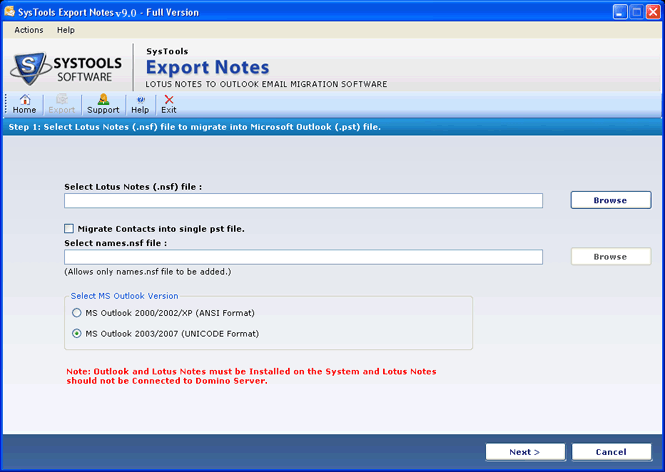

Open Lotus Notes NSF File
Version 8.0
Shareware
$250.00
0 downloads
After Performing the Lotus Notes to Outlook Conversion
process you will be able to Open Lotus Notes NSF File
in Outlook using SysTools Export Notes software. You
can easily read & Access Lotus Notes Emails in
Outlook. To Open Lotus Notes Files in Outlook you have
to remind following steps:
1. Convert Lotus Notes NSF files to Outlook PST
files
2. Save the PST file Converted from NSF
3. Navigate the saving Location after the process
4. Open Lotus Notes NSF File in Outlook.
SysTools Export Notes is very advantageous Email
Migration tool. It is the step-by-step Notes to
Outlook conversion program. Notes to PST Conversion
tool gives you 100% results of Notes to PST migration
process. Using this software you will be able to Read
Lotus Notes Emails in MS Outlook. You can Access Lotus
Notes emails, contacts, calendar, to-do lists,
personal journals, tasks and so on in Outlook. To Open
process you will be able to Open Lotus Notes NSF File
in Outlook using SysTools Export Notes software. You
can easily read & Access Lotus Notes Emails in
Outlook. To Open Lotus Notes Files in Outlook you have
to remind following steps:
1. Convert Lotus Notes NSF files to Outlook PST
files
2. Save the PST file Converted from NSF
3. Navigate the saving Location after the process
4. Open Lotus Notes NSF File in Outlook.
SysTools Export Notes is very advantageous Email
Migration tool. It is the step-by-step Notes to
Outlook conversion program. Notes to PST Conversion
tool gives you 100% results of Notes to PST migration
process. Using this software you will be able to Read
Lotus Notes Emails in MS Outlook. You can Access Lotus
Notes emails, contacts, calendar, to-do lists,
personal journals, tasks and so on in Outlook. To Open
Program details
Publisher
NSF PSTE-mail
Contact the publisherPlatforms
Windows ME<br>Windows NT 3.x<br>Windows NT 4.x<br>File size
3850 KBFile date
9/8/2010License
SharewareInstallation
Install & UninstallRecord updated
8/9/2010


