
AudioQuick Editor
Version 1.2
Commercial Demo
$19.90
0 downloads
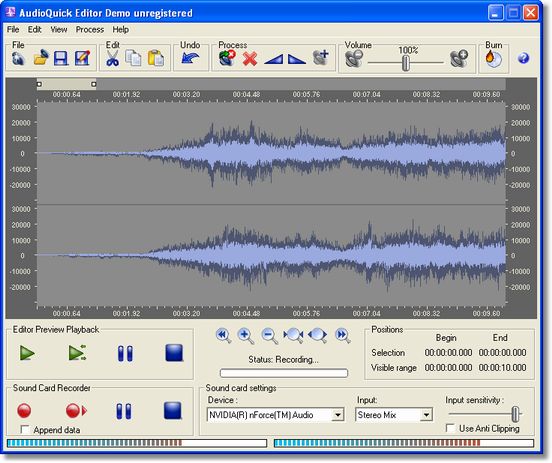
With AudioQuick Editor you can easily edit audio in
seconds. You can copy, paste, delete audio parts,
apply fade in and fade out, crop audio, insert
silence, adjust volume, even mix background audio at
desired volume levels. You can split audio to separate
files, or join several sounds into the single one.
Editor also can be used as convenient way to convert
audio between 7 most common audio formats: MP3, WMA,
AAC, MP4, WAV, OGG, FLAC.
You can also record all sounds coming from your sound
card. You can record audio when you play games, watch
online video, movies, or listen to music even if it is
protected. You can also unprotect any kind of
protected music by recording it from sound card,
digitize analog LP records and tapes, record voice
from microphone, or other source such as MIDI, VCR,
Internet audio streaming, Skype calls or other VoIP
calls, Quick Time, Real Player, Flash, iTunes and
other software. After this, you have possibility to
immediately edit and fine tune recordings in
previously described ways, and save the result to
seconds. You can copy, paste, delete audio parts,
apply fade in and fade out, crop audio, insert
silence, adjust volume, even mix background audio at
desired volume levels. You can split audio to separate
files, or join several sounds into the single one.
Editor also can be used as convenient way to convert
audio between 7 most common audio formats: MP3, WMA,
AAC, MP4, WAV, OGG, FLAC.
You can also record all sounds coming from your sound
card. You can record audio when you play games, watch
online video, movies, or listen to music even if it is
protected. You can also unprotect any kind of
protected music by recording it from sound card,
digitize analog LP records and tapes, record voice
from microphone, or other source such as MIDI, VCR,
Internet audio streaming, Skype calls or other VoIP
calls, Quick Time, Real Player, Flash, iTunes and
other software. After this, you have possibility to
immediately edit and fine tune recordings in
previously described ways, and save the result to
Program details
Publisher
Zoran GrujicE-mail
Contact the publisherPlatforms
Windows 98<br>Windows ME<br>Windows 2000<br>WindowFile size
4729 KBFile date
10/8/2010License
Commercial DemoInstallation
Install & UninstallRecord updated
8/10/2010


