Buy Excel Change Absolute References to Relative References and relative to absolute in multiple cells Software
Version 9.0
Freeware
Free
0 downloads
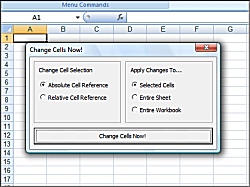
If you want to know how to change multiple excel cells
in absolute format into relative format, or from
relative format to absolute format, then this software
is for you! * Simply select a block of MS Excel
cells that you wish to change * Decide further what
should be be changed (block of cells, worksheets,
etc) * Click on the 'absolute->relative change'
reference button, or the 'relative->absolute
reference' button. * And enjoy!
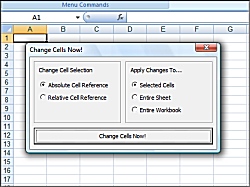
in absolute format into relative format, or from
relative format to absolute format, then this software
is for you! * Simply select a block of MS Excel
cells that you wish to change * Decide further what
should be be changed (block of cells, worksheets,
etc) * Click on the 'absolute->relative change'
reference button, or the 'relative->absolute
reference' button. * And enjoy!
Program details
Publisher
Tech SupportE-mail
Contact the publisherPlatforms
Windows 95<br>Windows 98<br>Windows ME<br>Windows File size
2001 KBFile date
9/6/2010License
FreewareInstallation
Install & UninstallRecord updated
8/21/2010

