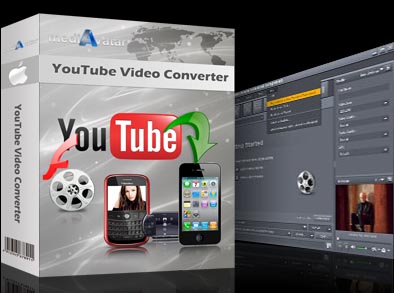

mediAvatar YouTube Video Converter for Mac
Version 2.0.9.0827
Shareware
$29.99
3 downloads
mediAvatar YouTube Video Converter for Mac is
prominent YouTube Video Converter Mac software to
download video from YouTube.com and convert YouTube
videos on Mac to AVI, H.264/MPEG-4 AVC, MPEG-4, MP4,
DivX, XviD, 3GP, 3G2 videos for enjoying YouTube
videos offline on iPod, iPhone, Apple TV, Zune, PSP,
PS3 and more multimedia devices. It supports YouTube
video browsing and proxy server configuration.
Support the latest YouTube site update.
features:
1. Either online YouTube videos or FLV video files on
your Mac can be converted to AVI, H.264/MPEG-4 AVC,
MPEG-4, MP4, DivX, XviD, 3GP, 3G2 videos.
2. Download multiple YouTube FLV video files and
convert the downloaded files in batches.
3. Ability to download YouTube videos through proxy
server you set in this YouTube video converter mac
software.
4. When you minimize the YouTube video converter to
the taskbar, the suspending drop zone will clearly
show you the YouTube video downloading and converting
process.
5. With right-click menu integration in your built-in
browser, you can perform YouTube video download
directly with just one single mouse click.
6. Browse YouTube videos by YouTube website’s category
like rising videos, most discussed, top rated, top
favorite, most viewed. You can also search favorite
videos with the YouTube video browser.
7. The YouTube video converter for Mac allows you to
choose more than one output profiles in the same or
different formats for one downloaded video to convert.
8. For both beginners and veterans, provide detailed
video and audio parameters to set yourself including
bit rate, frame rate, sample rate, resolution, codec,
channel and quality.
9. Before downloading, you can directly preview
YouTube videos using YouTube video browser in the Mac
YouTube video converter.
prominent YouTube Video Converter Mac software to
download video from YouTube.com and convert YouTube
videos on Mac to AVI, H.264/MPEG-4 AVC, MPEG-4, MP4,
DivX, XviD, 3GP, 3G2 videos for enjoying YouTube
videos offline on iPod, iPhone, Apple TV, Zune, PSP,
PS3 and more multimedia devices. It supports YouTube
video browsing and proxy server configuration.
Support the latest YouTube site update.
features:
1. Either online YouTube videos or FLV video files on
your Mac can be converted to AVI, H.264/MPEG-4 AVC,
MPEG-4, MP4, DivX, XviD, 3GP, 3G2 videos.
2. Download multiple YouTube FLV video files and
convert the downloaded files in batches.
3. Ability to download YouTube videos through proxy
server you set in this YouTube video converter mac
software.
4. When you minimize the YouTube video converter to
the taskbar, the suspending drop zone will clearly
show you the YouTube video downloading and converting
process.
5. With right-click menu integration in your built-in
browser, you can perform YouTube video download
directly with just one single mouse click.
6. Browse YouTube videos by YouTube website’s category
like rising videos, most discussed, top rated, top
favorite, most viewed. You can also search favorite
videos with the YouTube video browser.
7. The YouTube video converter for Mac allows you to
choose more than one output profiles in the same or
different formats for one downloaded video to convert.
8. For both beginners and veterans, provide detailed
video and audio parameters to set yourself including
bit rate, frame rate, sample rate, resolution, codec,
channel and quality.
9. Before downloading, you can directly preview
YouTube videos using YouTube video browser in the Mac
YouTube video converter.
Program details
Publisher
mediAvatar Software StudioE-mail
Contact the publisherPlatforms
Macintosh 68k<br>Macintosh PPC<br>OS/2<br>OS/2 WarFile size
29990 KBFile date
8/27/2010License
SharewareExpiration info
Either/Or - 3 minutes' conversion each timeInstallation
Install & UninstallRecord updated
9/10/2010
