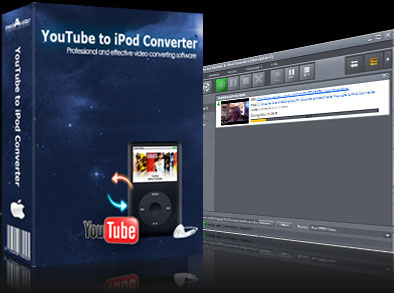

mediAvatar YouTube to iPod Converter for Mac
Version 2.0.26.1215
Shareware
$29.99
1 downloads
mediAvatar YouTube to iPod Converter for Mac is the
best YouTube to iPod converter Mac software to
download and convert YouTube video to iPod, enabling
iPod users to play their favorite YouTube videos on
their iPods. The Mac YouTube to iPod downloader and
converter also supports proxy server customization.
And it provides the built-in YouTube video browser to
help you search and download YouTube videos.
Support the latest YouTube site update on July 22,
2012.
Features:
1. With only one step, you can download online video
from YouTube.com and convert the downloaded YouTube
video to iPod MP4/MPEG-4 videos.
2. mediAvatar YouTube to iPod Converter for Mac also
supports converting FLV videos on Mac to iPod MP4/MPEG-
4 videos.
3. The Mac YouTube to iPod converter can download
multiple YouTube videos at a time and convert the
downloaded files to iPod in batches with high speed.
4. Use the YouTube video browser to browse YouTube
videos by different category, search any YouTube video
you want, and preview the desired video.
5. Directly drag video from YouTube.com webpage to the
desktop drop zone or paste video URL to the
downloading dialog and the software will automatically
start to download.
6. Besides the proxy set in your browser, you can
specify and configure the proxy server to download
YouTube video. The software supports SOCKS 5, HTTP
protocols.
7. No more copy or paste URL, you can just use right
click on selected video in your browser to download
desired YouTube video.
8. During video downloading, you can minimize the main
window to the taskbar and view the percentage of
YouTube video downloading and converting process by
the drop zone on desktop.
best YouTube to iPod converter Mac software to
download and convert YouTube video to iPod, enabling
iPod users to play their favorite YouTube videos on
their iPods. The Mac YouTube to iPod downloader and
converter also supports proxy server customization.
And it provides the built-in YouTube video browser to
help you search and download YouTube videos.
Support the latest YouTube site update on July 22,
2012.
Features:
1. With only one step, you can download online video
from YouTube.com and convert the downloaded YouTube
video to iPod MP4/MPEG-4 videos.
2. mediAvatar YouTube to iPod Converter for Mac also
supports converting FLV videos on Mac to iPod MP4/MPEG-
4 videos.
3. The Mac YouTube to iPod converter can download
multiple YouTube videos at a time and convert the
downloaded files to iPod in batches with high speed.
4. Use the YouTube video browser to browse YouTube
videos by different category, search any YouTube video
you want, and preview the desired video.
5. Directly drag video from YouTube.com webpage to the
desktop drop zone or paste video URL to the
downloading dialog and the software will automatically
start to download.
6. Besides the proxy set in your browser, you can
specify and configure the proxy server to download
YouTube video. The software supports SOCKS 5, HTTP
protocols.
7. No more copy or paste URL, you can just use right
click on selected video in your browser to download
desired YouTube video.
8. During video downloading, you can minimize the main
window to the taskbar and view the percentage of
YouTube video downloading and converting process by
the drop zone on desktop.
Program details
Publisher
mediAvatar Software StudioE-mail
Contact the publisherPlatforms
Macintosh 68k<br>Macintosh PPCFile size
30216 KBFile date
12/15/2010License
SharewareExpiration info
Either/Or - 3 minutes' conversion each timeInstallation
Install & UninstallRecord updated
12/24/2010
