
.Contact File Converter
Version 3.0
Shareware
$69.00
0 downloads
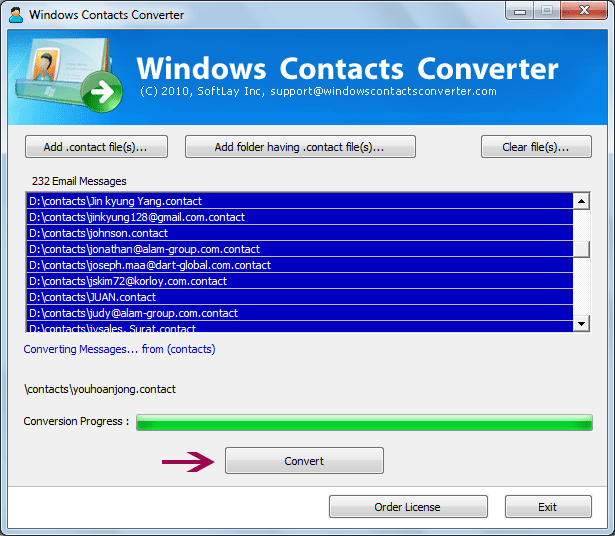
Get our .contact file converter to convert .CONTACT
files of Windows vista and Windows 7 to other contact
format. Windows Live and Windows Live Mail save
contact details in .contact file format. So if you
want to save these files in other format then you
definitely need software which can easily convert or
transfer .contact files to PST, VCF and CSV contact
format. Our .Contact to Outlook 2010 converter
successfully converts or imports multiple contact file
of Windows Vista and Windows 7 mail to outlook. A
flawless contact file converter tool for Windows Vista
and Windows 7 users who are trying to import thousand
of .contact files of Windows Contacts to Outlook.
Software comes with excellent features which makes its
more powerful and reliable .Contact conversion tool
from others. Support all versions of Windows
98/2000/2003/XP/Vista/7 32-64bit. How to
import .contact files into Outlook? You just need to
perform 2-3 easy steps to import .contact files into
Outlook. 1. Install SoftLay Windows Contacts Converter
on Windows machine. 2. Launch SoftLay Windows Contacts
files of Windows vista and Windows 7 to other contact
format. Windows Live and Windows Live Mail save
contact details in .contact file format. So if you
want to save these files in other format then you
definitely need software which can easily convert or
transfer .contact files to PST, VCF and CSV contact
format. Our .Contact to Outlook 2010 converter
successfully converts or imports multiple contact file
of Windows Vista and Windows 7 mail to outlook. A
flawless contact file converter tool for Windows Vista
and Windows 7 users who are trying to import thousand
of .contact files of Windows Contacts to Outlook.
Software comes with excellent features which makes its
more powerful and reliable .Contact conversion tool
from others. Support all versions of Windows
98/2000/2003/XP/Vista/7 32-64bit. How to
import .contact files into Outlook? You just need to
perform 2-3 easy steps to import .contact files into
Outlook. 1. Install SoftLay Windows Contacts Converter
on Windows machine. 2. Launch SoftLay Windows Contacts
Program details
Publisher
Contact File ConverterE-mail
Contact the publisherPlatforms
Windows 98<br>Windows XPFile size
1761 KBFile date
9/13/2011License
SharewareInstallation
Install & UninstallRecord updated
9/14/2011


