
HomeImage Effects
Version 1.2.0
Shareware
$14.95
0 downloads
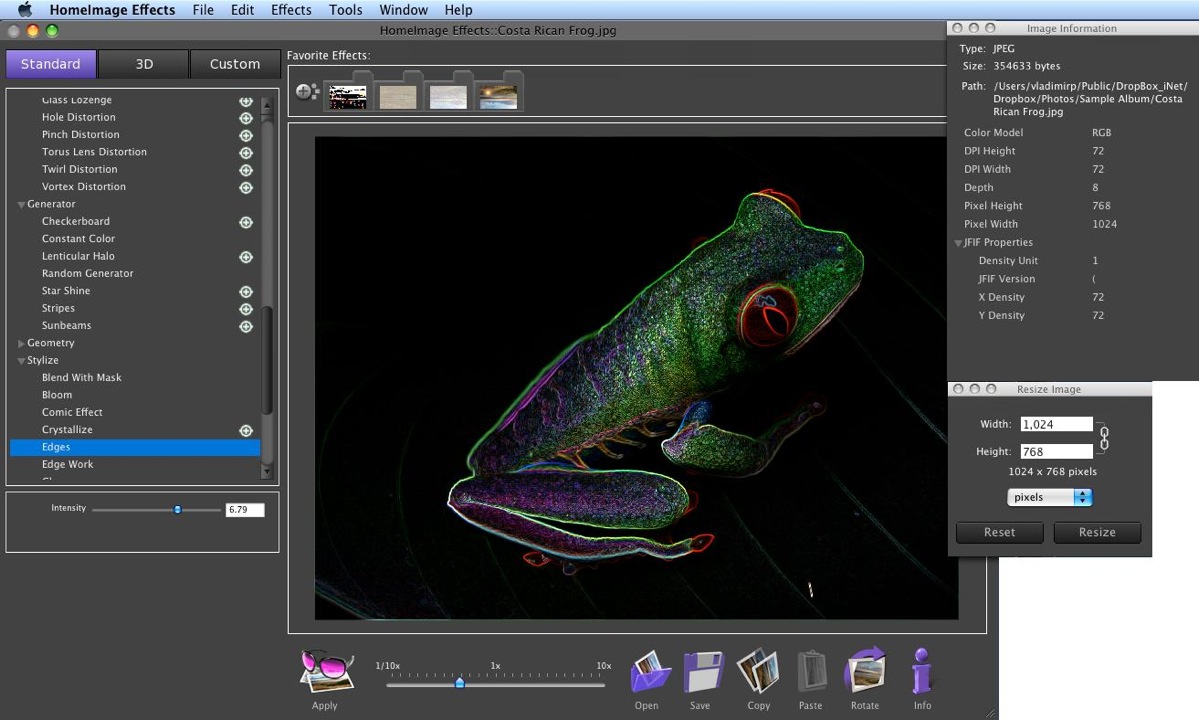
HomeImage Effects has a simple and intuitive
interface, so editing of pictures is very easy. First
choose the image through File menu, or use drag and
drop option to place image into application editor
view.
You also can apply effects, which are available
without any additional windows. HomeImage Effects
provides a nice set of effects for juicing up your
photos or creating custom images. We provide you
ability to use any from 100 Core Image Effects and
Filters from Apple Macintosh OSX or our custom
filters for image manipulation.
Using our software you can image transform, crop,
noise, tiled, RGB, gray scale, bright, contrast,
tint, twirl, bump, pinch and much more. Provided
custom effects give you ability to modify image or
create new one using random image generators.
Main Features:
• Core Image effects,
• OpenGL effects,
• Custom image effects,
• save files to mostly used formats ( JPG, TIF, PNG,
BMP, SGI and more) with different resolution amounts,
• rotate image by 90 angle,
• flip image,
• resize image,
• and more...
interface, so editing of pictures is very easy. First
choose the image through File menu, or use drag and
drop option to place image into application editor
view.
You also can apply effects, which are available
without any additional windows. HomeImage Effects
provides a nice set of effects for juicing up your
photos or creating custom images. We provide you
ability to use any from 100 Core Image Effects and
Filters from Apple Macintosh OSX or our custom
filters for image manipulation.
Using our software you can image transform, crop,
noise, tiled, RGB, gray scale, bright, contrast,
tint, twirl, bump, pinch and much more. Provided
custom effects give you ability to modify image or
create new one using random image generators.
Main Features:
• Core Image effects,
• OpenGL effects,
• Custom image effects,
• save files to mostly used formats ( JPG, TIF, PNG,
BMP, SGI and more) with different resolution amounts,
• rotate image by 90 angle,
• flip image,
• resize image,
• and more...
Program details
Publisher
Cristallight Inc.E-mail
Contact the publisherPlatforms
Macintosh PPCFile size
76767 KBFile date
7/18/2010License
SharewareInstallation
Install & UninstallRecord updated
11/22/2010
