iPad Video Converter
Version 3.2.01
Shareware
$32.90
0 downloads
So, we need iPad Video Converter. A video converter is
a software program that has the ability to change the
file from its current state to a different state. Why
do we use video converter? Many video files are
exchanged every day in a countless number of formats.
But if you have iPad, it does not have the
capabilities to play a video you want to watch. This
is why there's such a thing as iPad Video Converter.
IPad Video Converter can take video of one format into
another format. Luckily, you're able to make
converting video to iPad. What do you have to do? You
have to make loading a video into a program and
clicking a button to have it converted.
IPad Video Converter is developed for operational
system Windows: Windows XP, Windows Vista and Windows
7. You can free download the special software for
converting video to iPad right now. Install this tool
for converting video to iPad on the personal computer
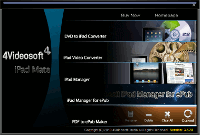
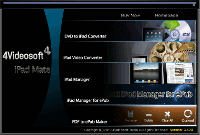
or the laptop. Look the program interface. Usually the
interface is created with such purpose that users with
different level of knowledge could use the program
a software program that has the ability to change the
file from its current state to a different state. Why
do we use video converter? Many video files are
exchanged every day in a countless number of formats.
But if you have iPad, it does not have the
capabilities to play a video you want to watch. This
is why there's such a thing as iPad Video Converter.
IPad Video Converter can take video of one format into
another format. Luckily, you're able to make
converting video to iPad. What do you have to do? You
have to make loading a video into a program and
clicking a button to have it converted.
IPad Video Converter is developed for operational
system Windows: Windows XP, Windows Vista and Windows
7. You can free download the special software for
converting video to iPad right now. Install this tool
for converting video to iPad on the personal computer
or the laptop. Look the program interface. Usually the
interface is created with such purpose that users with
different level of knowledge could use the program
Program details
Publisher
Valentin SmirnovE-mail
Contact the publisherHome page
http://ipad-dvd-video-converter.com/Platforms
Windows 98<br>Windows ME<br>Windows NT 3.x<br>WindFile size
1148 KBFile date
11/27/2010License
SharewareInstallation
Install & UninstallRecord updated
11/27/2010


