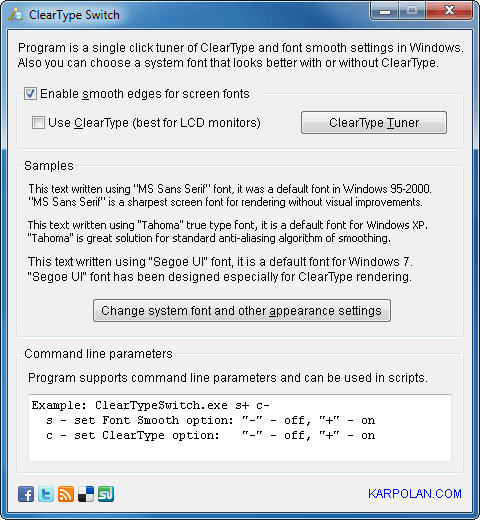

ClearType Switch
Version 1.1
Freeware
Free
0 downloads
Options for text anti-aliasing ("Smooth edges of
screen fonts") and ClearType are located in different
places depending on Windows version. This is very
annoying and confuses users much!
In Windows XP all these options are accessible
via "Display properties" -> "Appearance" -> "Effects".
Quite logical, isn't it?
In Windows Vista, if you have Aero enabled, you'll
have to click on "Open classic appearance properties
for more color options" in "Window Color and
Appearance" Control Panel applet. A little bit
strange...
Windows 7 went even further! You cannot turn off
ClearType without completing a useless wizard :) I've
wasted about 15 minutes looking for the "smooth font
edges" option but wasn't able to find it at all! Only
googling helped to solve this quest. The option was
separated from ClearType settings and moved
screen fonts") and ClearType are located in different
places depending on Windows version. This is very
annoying and confuses users much!
In Windows XP all these options are accessible
via "Display properties" -> "Appearance" -> "Effects".
Quite logical, isn't it?
In Windows Vista, if you have Aero enabled, you'll
have to click on "Open classic appearance properties
for more color options" in "Window Color and
Appearance" Control Panel applet. A little bit
strange...
Windows 7 went even further! You cannot turn off
ClearType without completing a useless wizard :) I've
wasted about 15 minutes looking for the "smooth font
edges" option but wasn't able to find it at all! Only
googling helped to solve this quest. The option was
separated from ClearType settings and moved
Program details
Publisher
Anton KarpenkoE-mail
Contact the publisherPlatforms
Windows XPFile size
402 KBFile date
10/10/2011License
FreewareInstallation
Install & UninstallRecord updated
10/11/2011


