
Excel Sheet Reader
Version 2.5
Shareware
$49.00
0 downloads
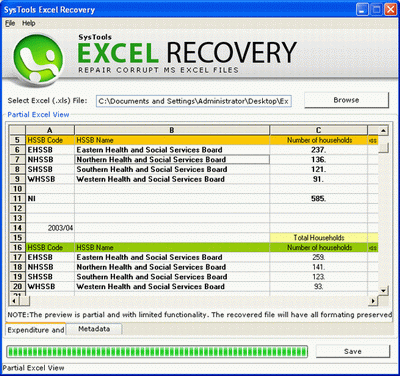
Excel Sheet Reader is a tool that enables you to read
data from XLS file either it is corrupt or not corrupt.
You can easily read corrupt excel file data and save
them in any particular location of hard drive. SysTools
Excel Recovery is a great Excel Record Repair Solution
to repair corrupt excel file without losing original
format. It acts as an Excel Sheet Reader to read
unreadable or corrupted data. If your file shows any
error message, you can use SysTools Excel Recovery
Tool. SysTools Excel Recovery Tool repair corrupt excel
file if it shows following error messages:
• Unable to read this Excel files.
• This file is not in a recognizable format.
• EXCEL.exe has generated errors and will be closed by
Windows. You will need to restart the program.An error
log is being created.
• '***.xls' cannot be accessed. The file may be
read-only, or you may be trying to access a read-only
location. Or, the server the document is stored on may
not be responding.
After using Excel Restore Program, you can open your
data without getting any issues.
You can solve any query regarding Software, contacts to
SysTools live support. Check it’s working through
SysTools Excel Recovery Demo version without paying any
cost and pays $49 only for licensed version. If you
need to save your data, you have to purchase SysTools
Excel Recovery Tool.
data from XLS file either it is corrupt or not corrupt.
You can easily read corrupt excel file data and save
them in any particular location of hard drive. SysTools
Excel Recovery is a great Excel Record Repair Solution
to repair corrupt excel file without losing original
format. It acts as an Excel Sheet Reader to read
unreadable or corrupted data. If your file shows any
error message, you can use SysTools Excel Recovery
Tool. SysTools Excel Recovery Tool repair corrupt excel
file if it shows following error messages:
• Unable to read this Excel files.
• This file is not in a recognizable format.
• EXCEL.exe has generated errors and will be closed by
Windows. You will need to restart the program.An error
log is being created.
• '***.xls' cannot be accessed. The file may be
read-only, or you may be trying to access a read-only
location. Or, the server the document is stored on may
not be responding.
After using Excel Restore Program, you can open your
data without getting any issues.
You can solve any query regarding Software, contacts to
SysTools live support. Check it’s working through
SysTools Excel Recovery Demo version without paying any
cost and pays $49 only for licensed version. If you
need to save your data, you have to purchase SysTools
Excel Recovery Tool.
Program details
Publisher
Excel Sheet ReaderE-mail
Contact the publisherPlatforms
Windows ME<br>Windows NT 3.x<br>Windows NT 4.x<br>File size
1320 KBFile date
4/27/2011License
SharewareExpiration info
Installation
Install & UninstallRecord updated
4/27/2011


