
Recover Outlook Emails
Version 14.09
Shareware
$49.00
0 downloads
PST corruption is a matter of concern for all MS
Outlook users. File header structure corruption, files
exceeding the 2 GB size limit, and virus attack make
the PST corrupt and items inaccessible. Accidental
deletion of emails also is a problem. Sometimes Outlook
behaves abnormally and displays error messages like
‘Outlook.pst file cannot be found,’ ‘Errors have been
detected in file path,’ ‘Outlook.pst file cannot be
found’ etc. A one-stop solution to all these issues is
RecoveryFIX for Outlook.
RecoveryFIX for Outlook, a smart and user friendly tool
to recover outlook emails, recovers emails and other
items form corrupt PST file. It can easily recover
emails, calendar, tasks, appointments, and items. In
order to scan the corrupt PST and to recover Outlook
emails, it uses an advanced algorithm. The recovered
items are available for a preview. It allows Outlook
users to filter by date for selective recovery. Then
they can be saved in different formats like PST, EML,
or MSG. This tool can be used even with
password-protected PST files.
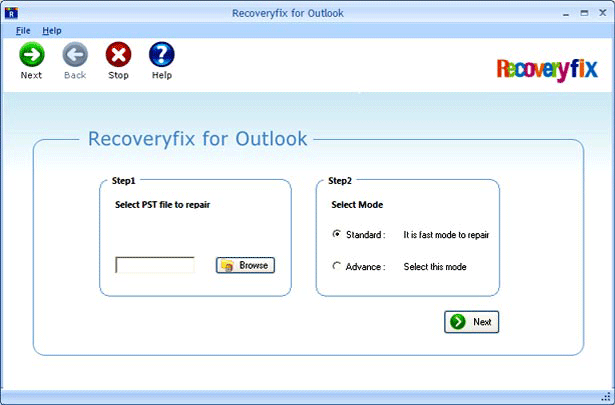
It is quite easy to use RecoveryFIX for Outlook. You
can move from one step to another just by reading the
instructions on its screen. It supports Outlook 2013,
2010, 2007, 2003, 2002, and 2000 versions. To know
more, you can download its free version after going
through the installation requirements. For more
information, visit www.recoveremail.net
Outlook users. File header structure corruption, files
exceeding the 2 GB size limit, and virus attack make
the PST corrupt and items inaccessible. Accidental
deletion of emails also is a problem. Sometimes Outlook
behaves abnormally and displays error messages like
‘Outlook.pst file cannot be found,’ ‘Errors have been
detected in file path,’ ‘Outlook.pst file cannot be
found’ etc. A one-stop solution to all these issues is
RecoveryFIX for Outlook.
RecoveryFIX for Outlook, a smart and user friendly tool
to recover outlook emails, recovers emails and other
items form corrupt PST file. It can easily recover
emails, calendar, tasks, appointments, and items. In
order to scan the corrupt PST and to recover Outlook
emails, it uses an advanced algorithm. The recovered
items are available for a preview. It allows Outlook
users to filter by date for selective recovery. Then
they can be saved in different formats like PST, EML,
or MSG. This tool can be used even with
password-protected PST files.
It is quite easy to use RecoveryFIX for Outlook. You
can move from one step to another just by reading the
instructions on its screen. It supports Outlook 2013,
2010, 2007, 2003, 2002, and 2000 versions. To know
more, you can download its free version after going
through the installation requirements. For more
information, visit www.recoveremail.net
Program details
Publisher
Recover Outlook EmailsE-mail
Contact the publisherHome page
http://www.recoveremail.net/Platforms
Win7 x32<br>Win7 x64<br>Win8 x32<br>Win8 x64<br>WinServer<br>Windows XP<br>Windows 98<br>WinVista<br>WinVista x64File size
4792 KBFile date
11/4/2014License
SharewareExpiration info
Installation
Install & UninstallRecord updated
12/4/2014
