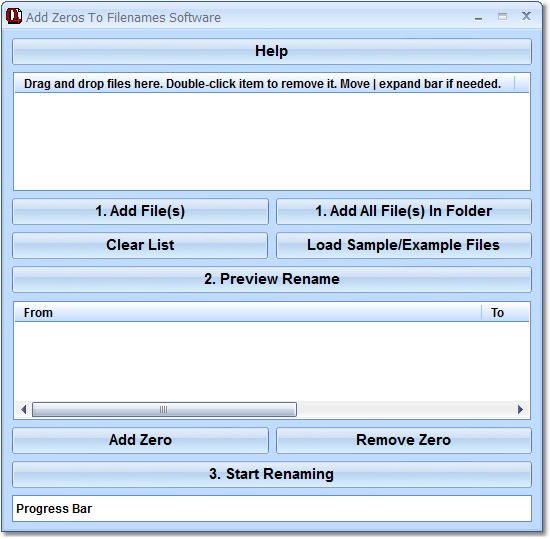

Add Zeros To Filenames Software
Version 7.0
Shareware
$19.99
1 downloads
This software offers a solution for users who want to
insert 0s into filenames to keep them properly aligned
and in alphabetical/numerical order. Many times, to
accomplish a task, we create multiple files containing
a root name followed by a number. Unfortunately, if
you don't think ahead and pad the left of the
numerical part of the filename with a zero so that all
of the filename lengths are the same, displaying the
files in numerical order becomes impossible. Use this
utility to prepend the numeric suffix of a file name
with a user defined number of zeros. So, for example:
foo1.bmp foo11.bmp foo2.bmp foo222.bmp can become:
foo001.bmp foo002.bmp foo011.bmp foo222.bmp.
insert 0s into filenames to keep them properly aligned
and in alphabetical/numerical order. Many times, to
accomplish a task, we create multiple files containing
a root name followed by a number. Unfortunately, if
you don't think ahead and pad the left of the
numerical part of the filename with a zero so that all
of the filename lengths are the same, displaying the
files in numerical order becomes impossible. Use this
utility to prepend the numeric suffix of a file name
with a user defined number of zeros. So, for example:
foo1.bmp foo11.bmp foo2.bmp foo222.bmp can become:
foo001.bmp foo002.bmp foo011.bmp foo222.bmp.
Program details
Publisher
Peter SobolE-mail
Contact the publisherPlatforms
Windows ME<br>Windows 2000<br>Windows XPFile size
1709 KBFile date
7/5/2011License
SharewareInstallation
Install & UninstallRecord updated
5/8/2011


