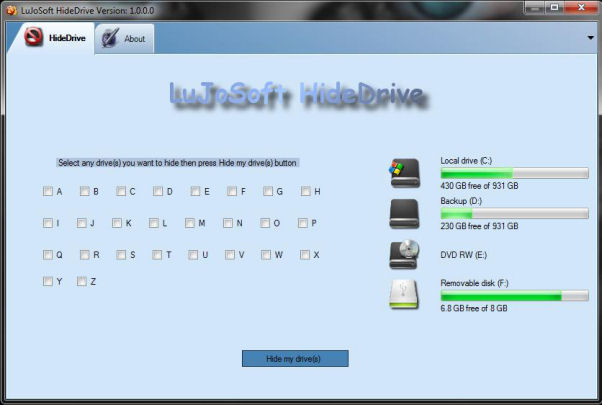

LuJoSoft HideMyDrive
Version 1.0.0.0
Freeware
Free
0 downloads
Introduction:
If you have drives in Windows Explorer that you never
access, such as a USB Flash drive that you are using
only for ReadyBoost, a floppy drive or a backup drive
only used for a particular piece of software, then you
might want to simply hide the drive from your computer.
This application will only hide the drive from being
displayed, applications and the command prompt will
still have access to it, and you can still manually
browse to the folder if you type in the path.
Feature:
1. Support all Windows OS.
2. Easy to install.
3. Hide as many drives you want.
4. It's absolutely free!!! No catch no nag screen or
cripple function.
How to use it:
1. Run the application, note that you need
If you have drives in Windows Explorer that you never
access, such as a USB Flash drive that you are using
only for ReadyBoost, a floppy drive or a backup drive
only used for a particular piece of software, then you
might want to simply hide the drive from your computer.
This application will only hide the drive from being
displayed, applications and the command prompt will
still have access to it, and you can still manually
browse to the folder if you type in the path.
Feature:
1. Support all Windows OS.
2. Easy to install.
3. Hide as many drives you want.
4. It's absolutely free!!! No catch no nag screen or
cripple function.
How to use it:
1. Run the application, note that you need
Program details
Publisher
LuJoSoft LuJoSoftE-mail
Contact the publisherPlatforms
Windows XPFile size
2398 KBFile date
5/14/2011License
FreewareInstallation
Install & UninstallRecord updated
5/15/2011


