DVDVideoImageExtractorASWfree
Version 4.2.0.15
Freeware
Free
0 downloads
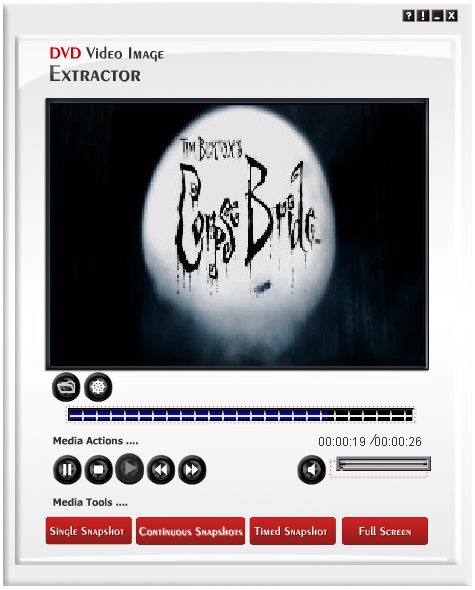
DVDVideoImageExtractorisaneasy-to-useapplicationtoeasilyandeffectivelyextractorcaptureimagesfromyourfavoriteDVD-Videodiscs.YoucanextractoneimagewhileplayingyourfavoritemovieandalsoyoucanextractaportionoftheDVD-Video.ItsupportsthreetoolsforcapturingsnapshotswhichareSinglesnapshot,ContinuoussnapshotsandTimedsnapshots.BySinglesnapshotyoucancaptureasinglesnapshotfromthevideoandcontinuoussnapshotsallowsyoutocaptureaportionofthevideoasasequenceofimages.Timedsnapshotsallowsyoutocapturesnapshotseverycertainamountofmilliseconds.Themainwindowiscomposedofthreemainparts:MediaActions,MediaToolsandtheMainMenuBar.InMediaActionsyouwillseeacollectionofbuttonswhichincludesthemainmediacommandswhichare:rewind,play,pause,stopandfastforward.Alsointherightside,youwillfindabuttonforturningaudioon/offandasliderforsettingthedesiredvolumelevel.Youshouldalsonoticethebarabove“MediaActionsâ€‌whichshowstheprogressofthemovie.IntheMediaToolspart,youwillfindthefunctionalityweprovidedforyoutocapturesnapshots:Byclickingthefirstbutton,youwillcaptureasinglesnapshot.YoucanusetheshortcutkeyCtrl F1.Byclickingthesecondbutton,youwillstarttocaptureasequenceofimagesuntilyouclickitagain.YoucanusetheshortcutkeyCtrl F2.Byclickingthethirdbutton,youmightbeaskedtoenteranumberintermsofmilliseconds(dependsonhowyousetyouroptions),youmaycheckthecheckboxshowninthisdialogtousethenumberyouspecifiedasthedefaultwithoutshowingthedialogagain.DVDVideoImageExtractorwillthencaptureasnapshotautomaticallyandwillusethatnumberastheintervaloftimetobewaitedaftereachsnapshot.YoucanusetheshortcutkeyCtrl F3.Thelastbuttonisusedforactivatingthefullscreendisplay.
Program details
Publisher
AUDIOSHAREWARE.COME-mail
Contact the publisherPlatforms
Windows 98<br>Windows XPFile size
11935 KBFile date
1/1/2011License
FreewareInstallation
Install & UninstallRecord updated
5/29/2011


