ImageViewerASWfree
Version 2.3.0.17
Freeware
Free
0 downloads
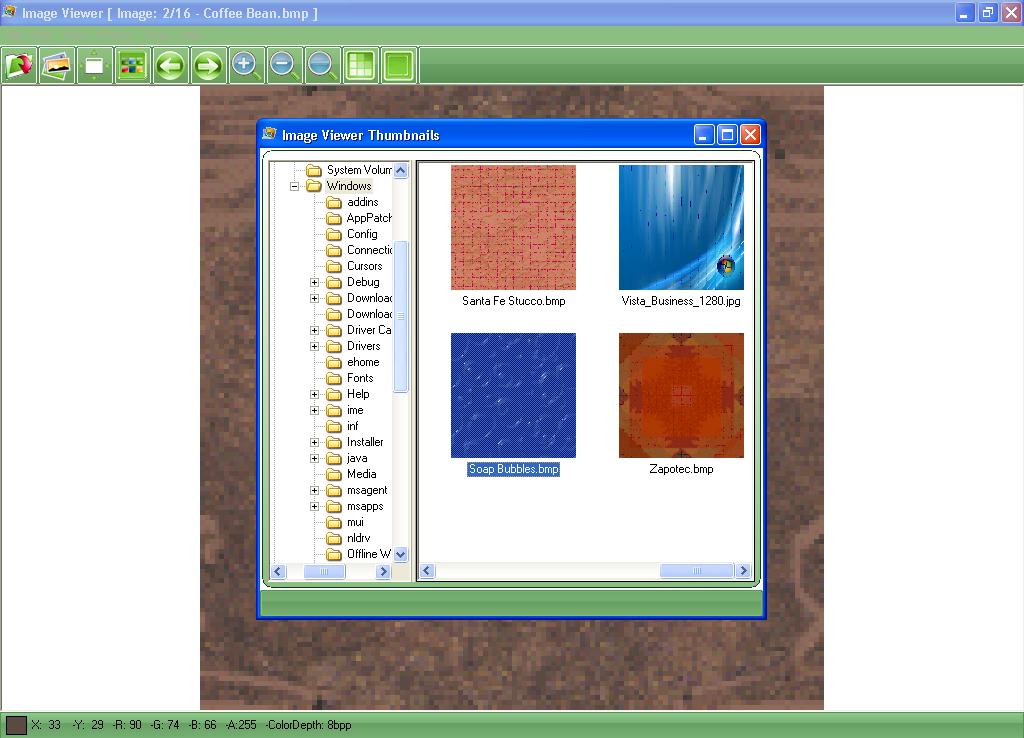
ImageVieweristhepowerful,compactandeasy-to-useimagevieweryoucanuse.WithImageVieweryoucandothefollowing:-1-OpenalotofimagefileformatslikeJPG,BMP,GIF,TIFF,PNG,PSD,PCX,TGA,WMF,EMF,WBMP,ICO,DIB.2-OpenimagesalsofromURLandsavethemtoyourdisk.3-SavetoseveralimageformatslikeJPG,BMP,GIF,TIFF,PNG…etc.4-Viewimagesinfullscreenmodeandslideshowmode.5-ViewandbrowseimagesinThumbnailsview.5-ViewandbrowseimagesinThumbnailsview.6-Copy,CutandPasteimagesandportionsofimages.7-DosomepowerfuleffectslikeCrop,Resize,Flip,Rotate,Skew,BrightnessandContrast.Fromthegeneralsettingstabyoucanadjustthefollowingoptions:1-Backgroundcoloroftheviewer,clickonthecolorbuttonandchoosethedesiredcolorandpressok.2-Specifyiftheviewerloopsaroundimagefileswhilebrowsingifreachingtheendorbeginoffiles.3-Fitimageduringbrowsing.IntheFullScreenSettingstabyoucansettheoptionsofthefullscreenmodeasfollow:1-Currentimagenamedisplay:setstheimagenamedisplayoptions.2-Displaytheimagenameinthefullscreenmodeornot,bychangingthischeck(Displayinfullscreenmode).3-Displaytheimagenameintheslideshowmodeornot,bychangingthischeck(Displayinslideshowmode).YoucanadjusttheSlideshowmodesettingsfromtheSlideshowSettingstab,thesesettingsasfollow:1-SkipdamagedandunsupportedimagesduringSlideshow:doesn’tshowthebadimagesintheslideshowtopreventannoyingtheuserwhiletheSlideshow.2-Hidemousepointerduringtheslideshow.3-Setthedelaybetweeneachimage,enterthevalueinMilliseconds(Note:1000=1Second).FromtheAssociationSettingstabyoucansetwhichfilescanbeassociatedwiththeImageViewertobeviewedwithit,youcaneasilycheckoruncheckthefileoryoucanselectallordeselectallfiles.
Program details
Publisher
AUDIOSHAREWARE.COME-mail
Contact the publisherPlatforms
Windows 98<br>Windows XPFile size
5230 KBFile date
1/1/2011License
FreewareInstallation
Install & UninstallRecord updated
5/29/2011


