
Import MBX to Outlook
Version 2.0
Shareware
$69.00
0 downloads
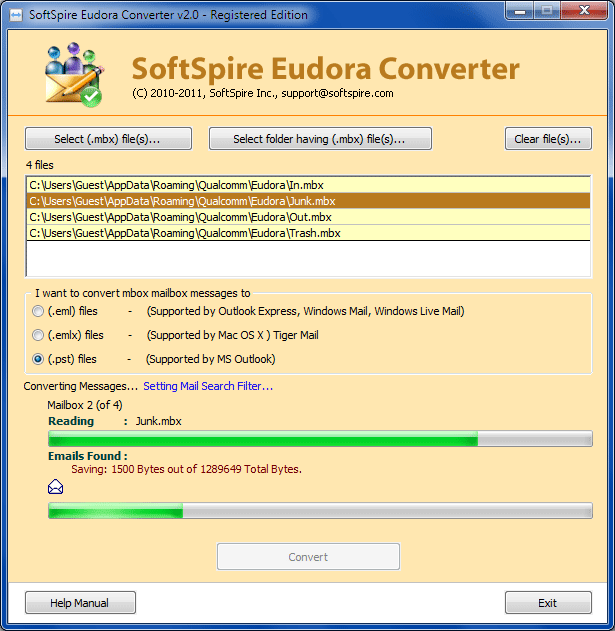
Make use of Eudora Converter to Import MBX to Outlook
efficiently. Import MBX to Outlook 2010, 2007, 2003
using Eudora MBX converter program. Users can easily
import MBX to Outlook with all Mail Folders - Inbox,
Outbox, Drafts, Sent Items, Deleted Items. Software
will successfully import all the MBX files to Outlook.
You need to select separated MBX files for each mail
folder to import emails from each mail folder. The
program successfully Import MBX to Outlook with all
email items - attachments, formatting, message flags,
read/unread status & meta data (to, cc, bcc, subject,
date). The program is supreme program to Import MBX to
Outlook, Import MBX to Outlook 2010. Software will not
allow users to import MBX to Outlook in bulk. Users
can import In.mbx, Out.mbx, Drafts.mbx, Sent.mbx etc.
Users can run this software on any version of Windows
98/ME/2000/2003/XP/Vista/7 to import MBX to Outlook.
efficiently. Import MBX to Outlook 2010, 2007, 2003
using Eudora MBX converter program. Users can easily
import MBX to Outlook with all Mail Folders - Inbox,
Outbox, Drafts, Sent Items, Deleted Items. Software
will successfully import all the MBX files to Outlook.
You need to select separated MBX files for each mail
folder to import emails from each mail folder. The
program successfully Import MBX to Outlook with all
email items - attachments, formatting, message flags,
read/unread status & meta data (to, cc, bcc, subject,
date). The program is supreme program to Import MBX to
Outlook, Import MBX to Outlook 2010. Software will not
allow users to import MBX to Outlook in bulk. Users
can import In.mbx, Out.mbx, Drafts.mbx, Sent.mbx etc.
Users can run this software on any version of Windows
98/ME/2000/2003/XP/Vista/7 to import MBX to Outlook.
Program details
Publisher
Import MBX to Outlook SoftwareE-mail
Contact the publisherPlatforms
Windows 98<br>Windows XPFile size
1551 KBFile date
7/7/2011License
SharewareInstallation
Install & UninstallRecord updated
7/8/2011


