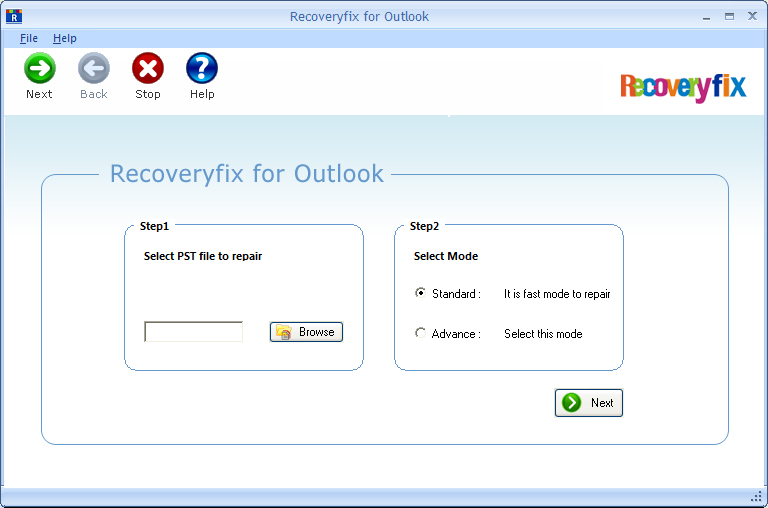

Outlook Recovery Software
Version 14.09
Shareware
$49.00
0 downloads
There are a lot of reasons due to which the PST file
can become corrupt such as CRC errors, jet engine
crash, corruption due to large sized PST, unknown
errors, broken PST, PST file header corruption, etc.
In such adverse situation, RecoveryFix for Outlook
performs recovery of your Outlook emails and saves you
against PST corruption. It can restore multiple damaged
Outlook databases of a system or network in a single
cycle. RecoveryFix for Outlook enables user to recover
permanently deleted items of the Outlook account. It
even retrieve whole user data from the password
protected, compressed or highly encrypted PST file.
Outlook recovery software provides two saving options
to store recovered Outlook data i.e., Save in Outlook
and Save in Outlook Express. It is integrated with
“Date Range” feature that enables user to recover
Outlook information within a specific date range.
Furthermore, it provides an option to split output PST
file in smaller files. Download the free demo version
of the software to recover user data from the large PST
file as it lets you judge the functionality of the
tool. Also, the software displays retrieved user data
in a preview but does not let users to save Outlook
information in the computer drive. You can anytime
purchase the licensed version of software for saving
the recovered Outlook items at the desired location.
can become corrupt such as CRC errors, jet engine
crash, corruption due to large sized PST, unknown
errors, broken PST, PST file header corruption, etc.
In such adverse situation, RecoveryFix for Outlook
performs recovery of your Outlook emails and saves you
against PST corruption. It can restore multiple damaged
Outlook databases of a system or network in a single
cycle. RecoveryFix for Outlook enables user to recover
permanently deleted items of the Outlook account. It
even retrieve whole user data from the password
protected, compressed or highly encrypted PST file.
Outlook recovery software provides two saving options
to store recovered Outlook data i.e., Save in Outlook
and Save in Outlook Express. It is integrated with
“Date Range” feature that enables user to recover
Outlook information within a specific date range.
Furthermore, it provides an option to split output PST
file in smaller files. Download the free demo version
of the software to recover user data from the large PST
file as it lets you judge the functionality of the
tool. Also, the software displays retrieved user data
in a preview but does not let users to save Outlook
information in the computer drive. You can anytime
purchase the licensed version of software for saving
the recovered Outlook items at the desired location.
Program details
Publisher
Outlook RecoveryE-mail
Contact the publisherPlatforms
Win7 x32<br>Win7 x64<br>WinServer<br>Windows XP<br>Windows 98<br>WinVista<br>WinVista x64File size
4792 KBFile date
10/28/2014License
SharewareExpiration info
Installation
Install & UninstallRecord updated
10/29/2014