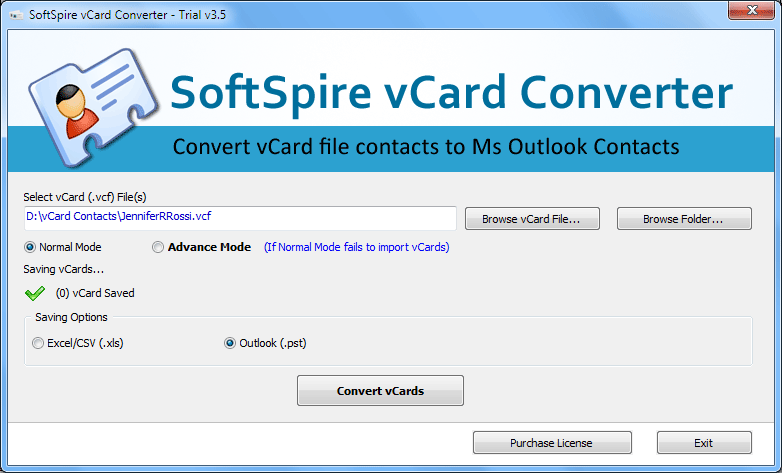

Import VCF Cards into Outlook
Version 3.7
Shareware
$49.00
0 downloads
Use VCF Cards Importer tool to import VCF Cards into
Outlook 2010, import multiple VCF Cards into outlook
2010, batch import VCF Cards into outlook. Users can
import VCF Cards into Outlook with all contact
details - Name, Formatted Name, Delivery Address,
Label Address, Email, Telephone, Images & Photos,
Website etc. Use vCard Converter to import VCF Cards
into Outlook of any format like vCard 2.1 & 3.0
easily. vCard Converter software imports multiple VCF
Cards into Outlook 2010, 2007, 2003, 2002. Software
creates new and fresh PST file with all contacts which
can be used in MS Outlook 2010, 2007, 2003, 2000. Get
more details of VCF Cards Importer to know how to
import VCF Cards into Outlook 2010 at once from this
page - http://www.vcardtooutlook.com/import-vcf-cards-
into-outlook.html
Outlook 2010, import multiple VCF Cards into outlook
2010, batch import VCF Cards into outlook. Users can
import VCF Cards into Outlook with all contact
details - Name, Formatted Name, Delivery Address,
Label Address, Email, Telephone, Images & Photos,
Website etc. Use vCard Converter to import VCF Cards
into Outlook of any format like vCard 2.1 & 3.0
easily. vCard Converter software imports multiple VCF
Cards into Outlook 2010, 2007, 2003, 2002. Software
creates new and fresh PST file with all contacts which
can be used in MS Outlook 2010, 2007, 2003, 2000. Get
more details of VCF Cards Importer to know how to
import VCF Cards into Outlook 2010 at once from this
page - http://www.vcardtooutlook.com/import-vcf-cards-
into-outlook.html
Program details
Publisher
Import VCF Cards into Outlook SoftwareE-mail
Contact the publisherPlatforms
Windows 98<br>Windows XPFile size
1562 KBFile date
7/19/2011License
SharewareInstallation
Install & UninstallRecord updated
7/23/2011


