
Backup.BKF File
Version 12.10.01
Shareware
$89.00
0 downloads
Maintaining backups of all files and folders stored on
a system’s hard disk are always a good practice since
they help in restoring data in case of a disaster. Some
versions of Windows OS offer users the facility to
create backups of their data files. The backup utility
wizard (NTbackup.exe) that comes pre-installed with
Windows NT, 2000, 20002, 2003, XP, Vista and 7 is used
to create BKF files with the extension backup.bkf.
These BKF files help users to restore their damaged or
lost files and folders, even those which were deleted a
long time back. However, one problem with the Windows
backup utility is that the new versions are not
backward compatible. This means, backup files created
using earlier versions of Windows backup utility cannot
be used to restore data files in a system installed
with the latest Windows OS. Furthermore, backup.bkf
files themselves are prone to corruption and since
these are not secured by Windows “System Restore”
function, users are at a risk of losing their backups.
To counter all these problems, third party backup.bkf
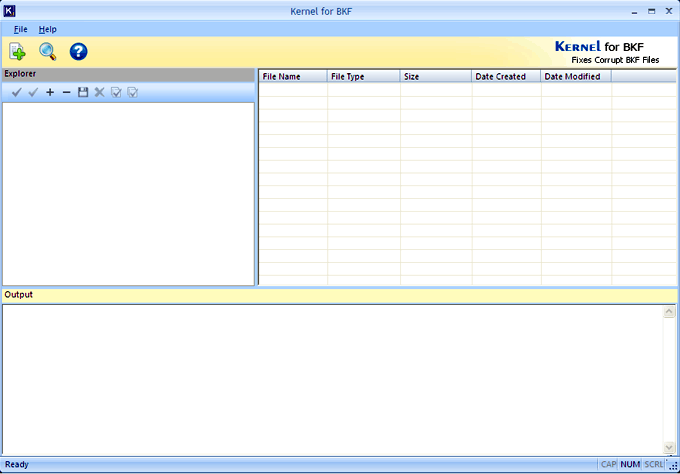
recovery tools are used. Kernel for BKF is an excellent
example of such a software tool, which can be used to
recover backup.bkf files created using any version of
Windows OS. Not only can this software restore backup
files created using NTbackup.exe but also those created
using Backup Exec of VERITAS software. With the help of
quick data recovery algorithms, this third party
software can restore maximum number of backup.bkf files
from the archives. Once the BKF files are recovered,
users are able to utilize them to restore other system
data files. Therefore, in order to restore backup.bkf
files, third party software are the best bet.
a system’s hard disk are always a good practice since
they help in restoring data in case of a disaster. Some
versions of Windows OS offer users the facility to
create backups of their data files. The backup utility
wizard (NTbackup.exe) that comes pre-installed with
Windows NT, 2000, 20002, 2003, XP, Vista and 7 is used
to create BKF files with the extension backup.bkf.
These BKF files help users to restore their damaged or
lost files and folders, even those which were deleted a
long time back. However, one problem with the Windows
backup utility is that the new versions are not
backward compatible. This means, backup files created
using earlier versions of Windows backup utility cannot
be used to restore data files in a system installed
with the latest Windows OS. Furthermore, backup.bkf
files themselves are prone to corruption and since
these are not secured by Windows “System Restore”
function, users are at a risk of losing their backups.
To counter all these problems, third party backup.bkf
recovery tools are used. Kernel for BKF is an excellent
example of such a software tool, which can be used to
recover backup.bkf files created using any version of
Windows OS. Not only can this software restore backup
files created using NTbackup.exe but also those created
using Backup Exec of VERITAS software. With the help of
quick data recovery algorithms, this third party
software can restore maximum number of backup.bkf files
from the archives. Once the BKF files are recovered,
users are able to utilize them to restore other system
data files. Therefore, in order to restore backup.bkf
files, third party software are the best bet.
Program details
Publisher
Backup BKFE-mail
Contact the publisherHome page
http://www.bkffile.com/Platforms
Windows 98<br>Windows XPFile size
3624 KBFile date
12/18/2012License
SharewareExpiration info
Installation
Install & UninstallRecord updated
12/27/2012


