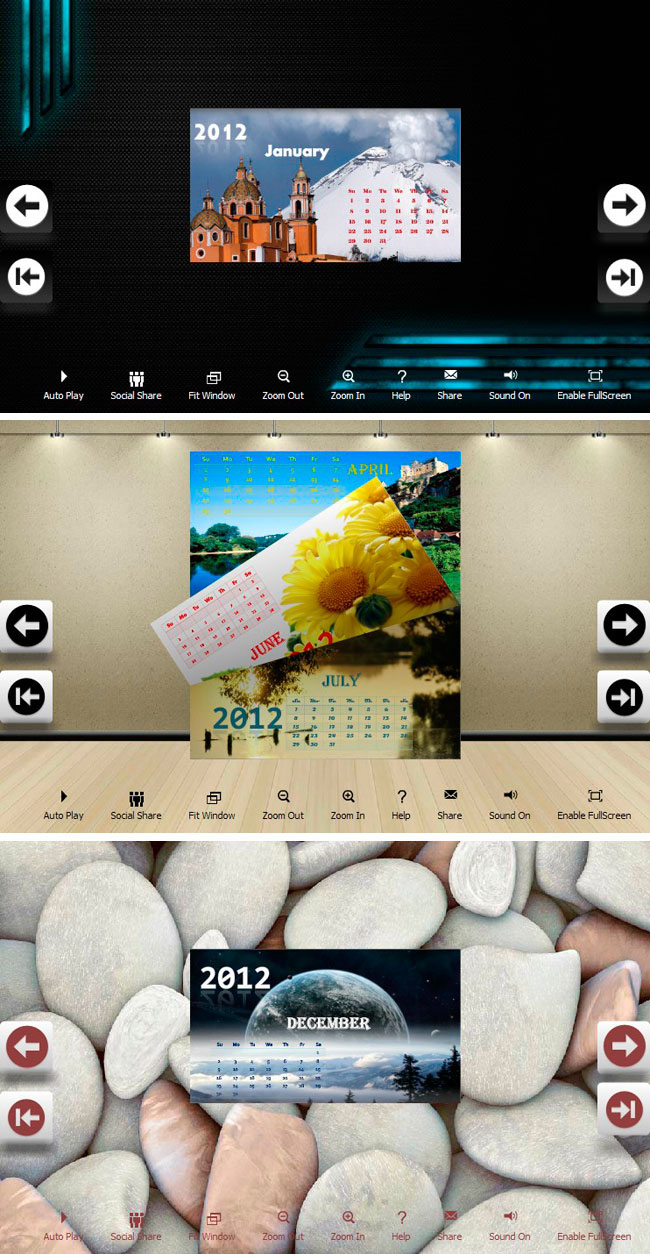
Flipbook_Themes_Package_Calendar_Designs
Version 1.0
Freeware
Free
0 downloads
You can use your graphic designs in building page-
flipping booklets, no matter identity (logos and
branding), web sites, publications (magazines,
newspapers, and books), advertisements or product
packaging news. You can totally control how to show
your publications to others. The carefully designed
templates in Calendar Design Theme Package will help
you to build your publications with ease. You can also
insert your logo, your own graphic background to
decorate flip books. Whatever you use, you will
definitely impress your audiences while showing the
books.
1. Run Flip program;
2. Click Menu: File->Import Theme, select the *.thm
(themes) form open dialog box;
3. Open Template Window by
clicking "Classical/Float/Spread" to choose imported
theme in Select Template interface;
4. Use the theme you have just imported.
flipping booklets, no matter identity (logos and
branding), web sites, publications (magazines,
newspapers, and books), advertisements or product
packaging news. You can totally control how to show
your publications to others. The carefully designed
templates in Calendar Design Theme Package will help
you to build your publications with ease. You can also
insert your logo, your own graphic background to
decorate flip books. Whatever you use, you will
definitely impress your audiences while showing the
books.
1. Run Flip program;
2. Click Menu: File->Import Theme, select the *.thm
(themes) form open dialog box;
3. Open Template Window by
clicking "Classical/Float/Spread" to choose imported
theme in Select Template interface;
4. Use the theme you have just imported.
Program details
Publisher
Winston ChangE-mail
Contact the publisherPlatforms
Windows 2000<br>Windows XPFile size
4936 KBFile date
12/21/2011License
FreewareInstallation
Install & UninstallRecord updated
12/27/2011