
Deeply Restore System Backup File
Version 5.3
Shareware
$89.00
0 downloads
SysTools Launched new upgraded 5.4 version of BKF file
recovery software. Restore System backup file deeply
with BKF Repair tool which is a complete solution to
get the desired results as you want. Follows the five
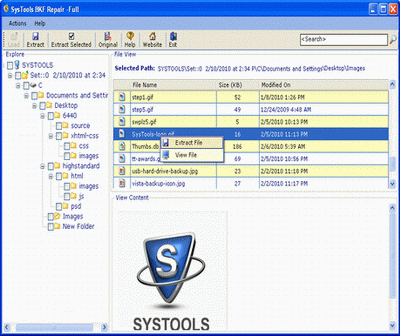
simple steps given below: Steps-1: Download and
install SysTools BKF Repair Tool, open the software
and browse option to import corrupted system backup
file. Steps-2: after installation, open the software
you can see the three option Quick scan, Deep scan and
Range scan option. With the help of Quick scan you can
rapidly restore system backup file. This utility one
phase scan your corrupted system backup file. If
you're seeing the corrupt system backup file then
extract it. This option save your important time and
restore backup file quickly. Steps-3: if you not are
seeing the corrupt system backup file then use deep
scan option. With the help of this option you can
Deeply Restore System Backup File without missing
system backup file. It is two phases scan your
corrupted system backup file. Steps-4: I hope you can
seeing the system backup file then you can extract
recovery software. Restore System backup file deeply
with BKF Repair tool which is a complete solution to
get the desired results as you want. Follows the five
simple steps given below: Steps-1: Download and
install SysTools BKF Repair Tool, open the software
and browse option to import corrupted system backup
file. Steps-2: after installation, open the software
you can see the three option Quick scan, Deep scan and
Range scan option. With the help of Quick scan you can
rapidly restore system backup file. This utility one
phase scan your corrupted system backup file. If
you're seeing the corrupt system backup file then
extract it. This option save your important time and
restore backup file quickly. Steps-3: if you not are
seeing the corrupt system backup file then use deep
scan option. With the help of this option you can
Deeply Restore System Backup File without missing
system backup file. It is two phases scan your
corrupted system backup file. Steps-4: I hope you can
seeing the system backup file then you can extract
Program details
Publisher
Deeply Restore System Backup FileE-mail
Contact the publisherPlatforms
Windows 98<br>Windows XPFile size
2560 KBFile date
1/24/2012License
SharewareInstallation
Install & UninstallRecord updated
1/24/2012