
Image to PDF Converter Command Line
Version v3.21
Shareware
$59.00
0 downloads
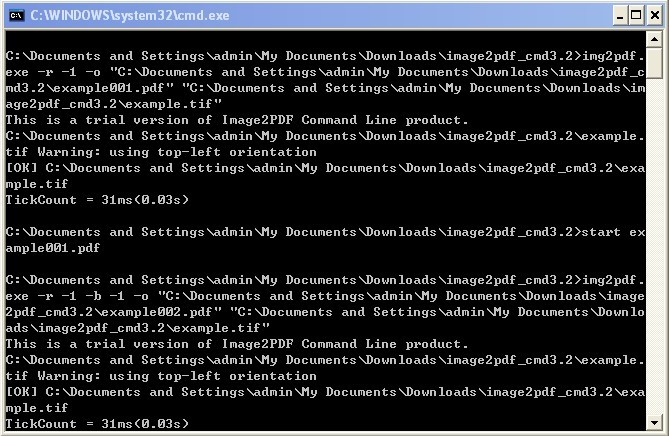
Image to PDF Converter Command Line is an easy-to-use
and powerful converting software which can convert
image to PDF by Command Line. It can convert TIF, TIFF,
JPG, JPEG, GIF, PNG, BMP, PSD, WMF, EMF, PCX, PIC, etc
image to PDF by Command Line. You can also customize
the description such as title, subject, author, and
keywords of created PDF. And it is independent of any
PDF reader or creator.
Feature of Image to PDF Converter Command Line:
1. Wide System Compatibility: Support Windows
98/ME/NT/2000/XP/2003/Vista/7.
2. Support to convert image to PDF by command line
operation for script inclusion or manual use.
3.Support wildcard character arguments e.g., *.tif,
a*.jpg, etc for batch conversion.
4. Support abundant image formats: TIF (TIFF), JPG
(JPEG), PNG, GIF, PCD, PSD, TGA, BMP, DCX, PIC, EMF,
WMF, etc.
5.Support to convert image from scanner.
6. Support to combine multiple images in one directory
into one PDF.
7. Support to add bookmarks to specific page.
8.No need for other PDF reader or creator software in
conversion.
9. Support to specify resolution (DPI) for converted PDF.
and powerful converting software which can convert
image to PDF by Command Line. It can convert TIF, TIFF,
JPG, JPEG, GIF, PNG, BMP, PSD, WMF, EMF, PCX, PIC, etc
image to PDF by Command Line. You can also customize
the description such as title, subject, author, and
keywords of created PDF. And it is independent of any
PDF reader or creator.
Feature of Image to PDF Converter Command Line:
1. Wide System Compatibility: Support Windows
98/ME/NT/2000/XP/2003/Vista/7.
2. Support to convert image to PDF by command line
operation for script inclusion or manual use.
3.Support wildcard character arguments e.g., *.tif,
a*.jpg, etc for batch conversion.
4. Support abundant image formats: TIF (TIFF), JPG
(JPEG), PNG, GIF, PCD, PSD, TGA, BMP, DCX, PIC, EMF,
WMF, etc.
5.Support to convert image from scanner.
6. Support to combine multiple images in one directory
into one PDF.
7. Support to add bookmarks to specific page.
8.No need for other PDF reader or creator software in
conversion.
9. Support to specify resolution (DPI) for converted PDF.
Program details
Publisher
VeryPDF VeryPDFE-mail
Contact the publisherPlatforms
Windows 95<br>Windows 98<br>Windows ME<br>Windows File size
2266 KBFile date
4/24/2012License
SharewareExpiration info
Either/Or - use it foreverInstallation
Install & UninstallRecord updated
4/26/2012

