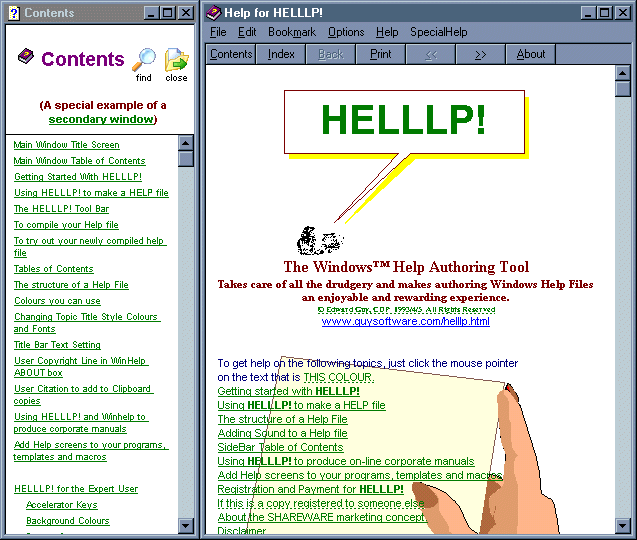

HELLLP! WinHelp Author Tool for WinWord
Version 3.2
Shareware
$39.00
0 downloads
* User works entirely within Word (English or non-
English versions). You never have to touch a context
string, or an HPJ or RTF file (unless you want to).
* Can generate topics from Word Heading Styles, or
user can identify them by pointing.
* Generates a table of contents automatically, for
display in the main window, a secondary window or a
PopUp with jumps from it already in place.
* User adds additional jumps and PopUps by
highlighting the text or graphic to jump from and
pointing to the topic to jump to. Mid- topic jumps are
supported.
* Generates search keywords automatically (user can
edit) in lower, upper, or mixed case.
* Can generate browse sequences automatically.
* Generates and tracks context strings automatically
(user can edit).
* Can set sizes of main and secondary windows
independently, both on initial display and on topic
change. Can determine windows for initial display -
main, secondary or both.
* Set background colours for scrolling and non-
scrolling text.
* Set hotspot colour for cultures where green is not
suitable.
* Add sound effects by playing WAV files.
* Launch other processes from within Help File by
clicking text or icons.
* Automatic multi-file project builds.
* Generation and mapping of topic numbers for
HELPCONTEXTID and other context-sensitive needs.
* Incorporation of additional WinHelp macros by dialog
box selection.
* Expert users can supply a file of [sections] to be
merged into HPJ file on each build.
* Customised button bars for main window, secondary
windows, PopUps or embedded in text. Button-top text
in any language. Buttons call or PopUp any topic,
WinHelp macro or launch another process.
* Automatic generation of a "Glossary" topic if
desired with an alphabet button box at the top.
* Generation of additional menus and menu items on the
Winhelp menu bar. Even omission of the whole menu bar.
* Customisable "copyright" line for WinHelp about box.
* Generation of CNT file.
English versions). You never have to touch a context
string, or an HPJ or RTF file (unless you want to).
* Can generate topics from Word Heading Styles, or
user can identify them by pointing.
* Generates a table of contents automatically, for
display in the main window, a secondary window or a
PopUp with jumps from it already in place.
* User adds additional jumps and PopUps by
highlighting the text or graphic to jump from and
pointing to the topic to jump to. Mid- topic jumps are
supported.
* Generates search keywords automatically (user can
edit) in lower, upper, or mixed case.
* Can generate browse sequences automatically.
* Generates and tracks context strings automatically
(user can edit).
* Can set sizes of main and secondary windows
independently, both on initial display and on topic
change. Can determine windows for initial display -
main, secondary or both.
* Set background colours for scrolling and non-
scrolling text.
* Set hotspot colour for cultures where green is not
suitable.
* Add sound effects by playing WAV files.
* Launch other processes from within Help File by
clicking text or icons.
* Automatic multi-file project builds.
* Generation and mapping of topic numbers for
HELPCONTEXTID and other context-sensitive needs.
* Incorporation of additional WinHelp macros by dialog
box selection.
* Expert users can supply a file of [sections] to be
merged into HPJ file on each build.
* Customised button bars for main window, secondary
windows, PopUps or embedded in text. Button-top text
in any language. Buttons call or PopUp any topic,
WinHelp macro or launch another process.
* Automatic generation of a "Glossary" topic if
desired with an alphabet button box at the top.
* Generation of additional menus and menu items on the
Winhelp menu bar. Even omission of the whole menu bar.
* Customisable "copyright" line for WinHelp about box.
* Generation of CNT file.
Program details
Publisher
Ed GuyE-mail
Contact the publisherPlatforms
Windows 95<br>Windows 98<br>Windows ME<br>Windows File size
1058 KBFile date
4/11/2003License
SharewareExpires after
30 daysInstallation
Install & UninstallRecord updated
4/17/2003


