
Open VBA Editor in MS Office®
Version 3.2
Shareware
$17.00
0 downloads
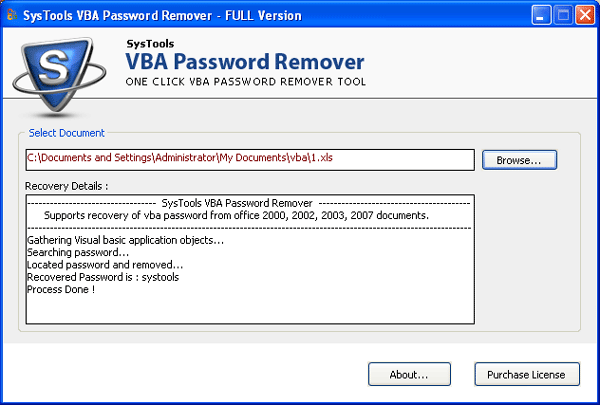
Open VBA Editor in MS Office® to start your VBA
project. To make your hands on VBA programming you
need to be technical. You will get all about VBA from
starting a project till to recover forgotten VBA
password. Open VBA editor in MS Office easily and
efficiently without losing your time. Get solve your
entire query and know more about VBA. Know how to open
VBA editor in MS Office file in few easy steps.
Tutorials from opening a tab in MS Office file to
recovering forgotten VBA password easily. A complete
tutorial to start work on a VBA project till to give a
file finishing.
Here you get a standard procedure and a step by step
procedure to start a new project on VBA. Get complete
guide to recover password of any MS Office file in few
easy steps.
Procedure to open VBA Editor in MS Office:
1. Open file menu by clicking on start button in
MS Office which at let-top position.
2. Now select “Option” button and click on it.
3. Now choose a “show developers tool in ribbon”
project. To make your hands on VBA programming you
need to be technical. You will get all about VBA from
starting a project till to recover forgotten VBA
password. Open VBA editor in MS Office easily and
efficiently without losing your time. Get solve your
entire query and know more about VBA. Know how to open
VBA editor in MS Office file in few easy steps.
Tutorials from opening a tab in MS Office file to
recovering forgotten VBA password easily. A complete
tutorial to start work on a VBA project till to give a
file finishing.
Here you get a standard procedure and a step by step
procedure to start a new project on VBA. Get complete
guide to recover password of any MS Office file in few
easy steps.
Procedure to open VBA Editor in MS Office:
1. Open file menu by clicking on start button in
MS Office which at let-top position.
2. Now select “Option” button and click on it.
3. Now choose a “show developers tool in ribbon”
Program details
Publisher
Open VBA Editor in MS Office®E-mail
Contact the publisherPlatforms
Windows 98<br>Windows XPFile size
396 KBFile date
5/24/2012License
SharewareInstallation
Install & UninstallRecord updated
5/24/2012