
Export Pdf Images
Version 1.0.1.2
Shareware
$19.95
0 downloads
Pdf images extractor software is easy to use and self
descriptive utility to extract all images out from
pdf document. Program scan full pdf, count images of
pdf and saves them out on the disk drive in original
format without copy & paste option. Software is
Windows 7 compatible, supports batch pdf files for
image extraction. Image extraction from pdf uses
three simple steps; select pdf document, set output
location and extract all the graphics with lightning
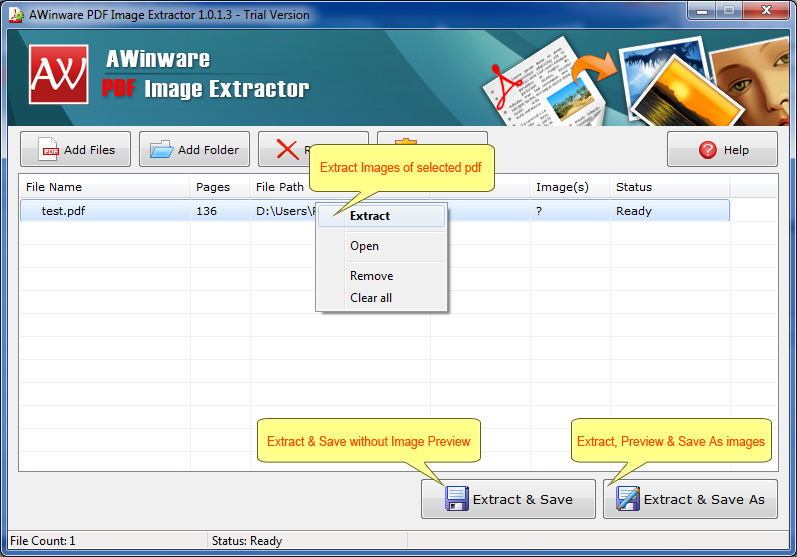
fast speed. Program list shows all the imported
documents with total number of images per file. Pdf
image extractor software is provided with an inbuilt
user help manual for instant user support. Using pdf
photo picture export utility, you can easily get back
your logo, screenshot, designs from pdf in original
dimension as JPG, BMP or TIFF. Download free pdf
image extractor software from our website now for
evaluation.
descriptive utility to extract all images out from
pdf document. Program scan full pdf, count images of
pdf and saves them out on the disk drive in original
format without copy & paste option. Software is
Windows 7 compatible, supports batch pdf files for
image extraction. Image extraction from pdf uses
three simple steps; select pdf document, set output
location and extract all the graphics with lightning
fast speed. Program list shows all the imported
documents with total number of images per file. Pdf
image extractor software is provided with an inbuilt
user help manual for instant user support. Using pdf
photo picture export utility, you can easily get back
your logo, screenshot, designs from pdf in original
dimension as JPG, BMP or TIFF. Download free pdf
image extractor software from our website now for
evaluation.
Program details
Publisher
PDF Image ExtractorE-mail
Contact the publisherPlatforms
Windows 2000<br>Windows XPFile size
1740 KBFile date
6/8/2012License
SharewareExpiration info
Either/Or - Demo add watermark on images.Installation
Install & UninstallRecord updated
6/8/2012

