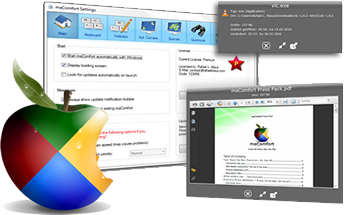

maComfort
Version 1.7.1
Shareware
$19.95
0 downloads
maComfort brings the Mac-experience to Windows, and
makes it feel like a Mac!
Especially designed for users of both Operating
Systems, which often change between Windows and Mac
will love this app: It emulates the mac key
combinations for example, so that you will never have
to adapt. Just keep using Apple-Q to quit and Apple-C
to copy - no need to re-adapt to Ctrl-C!
But there is much more to maComfort: You have now
access to great mac features like Quicklook: Just
select any file in Windows Explorer and hit space -
and there's your Quicklook window.
Also on board are other features like active corners.
Just adapt your settings and when hitting a screen
corner with your mouse it will do the selected action.
Other mac-like features include Spaces, which brings
virtual desktops to Windows in a great new way.
makes it feel like a Mac!
Especially designed for users of both Operating
Systems, which often change between Windows and Mac
will love this app: It emulates the mac key
combinations for example, so that you will never have
to adapt. Just keep using Apple-Q to quit and Apple-C
to copy - no need to re-adapt to Ctrl-C!
But there is much more to maComfort: You have now
access to great mac features like Quicklook: Just
select any file in Windows Explorer and hit space -
and there's your Quicklook window.
Also on board are other features like active corners.
Just adapt your settings and when hitting a screen
corner with your mouse it will do the selected action.
Other mac-like features include Spaces, which brings
virtual desktops to Windows in a great new way.
Program details
Publisher
Leonardo ReE-mail
Contact the publisherHome page
http://leonardo.re/macomfort/Platforms
Windows XPFile size
154 KBFile date
6/22/2012License
SharewareInstallation
Install & UninstallRecord updated
7/24/2012


