
How to Reset Windows XP Password
Version 4.0.1
Shareware
$19.95
0 downloads
What if forgot Windows XP password? How to reset
Windows XP password? This article describes three best
and reliable solution to reset windows XP password
when you forgot Windows XP password.
Method 1: Reset Windows XP Password With Windows XP
Password Reset Tool
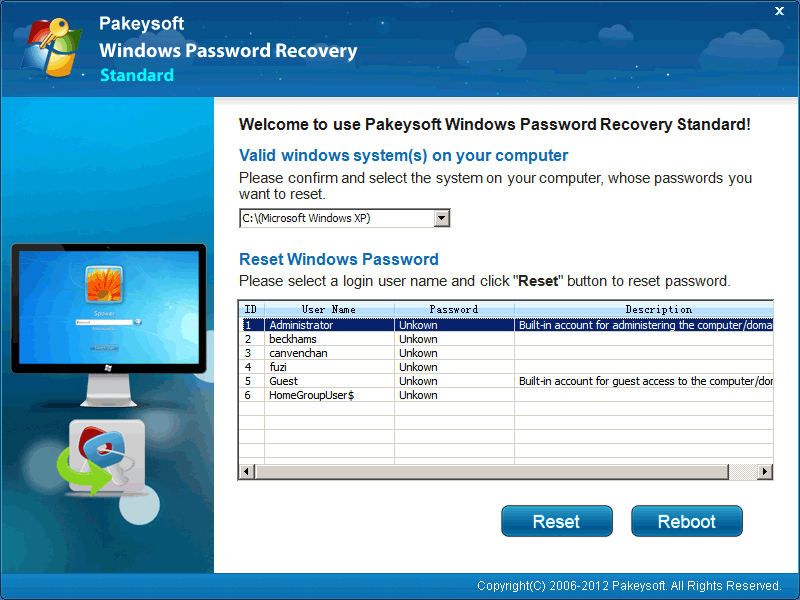
Here we would like to recommend the best Windows XP
Password Reset software to help you reset lost Windows
XP password. You can use this software to create a
bootable windows XP password reset CD/DVD or USB flash
drive to reset a forgotten Windows XP password in
minutes. Just four steps:
1. Download and Install Pakeysoft Windows Password
Recovery software
2. Create a Windows XP password reset disk.
3. Start your locked computer from the bootable CD/DVD
or USB flash drive.
4. Reset Windows XP Password.
Method 2: Reset Windows XP Password by creating a new
Administrator account user
This method will tell you how to create a Windows XP
Windows XP password? This article describes three best
and reliable solution to reset windows XP password
when you forgot Windows XP password.
Method 1: Reset Windows XP Password With Windows XP
Password Reset Tool
Here we would like to recommend the best Windows XP
Password Reset software to help you reset lost Windows
XP password. You can use this software to create a
bootable windows XP password reset CD/DVD or USB flash
drive to reset a forgotten Windows XP password in
minutes. Just four steps:
1. Download and Install Pakeysoft Windows Password
Recovery software
2. Create a Windows XP password reset disk.
3. Start your locked computer from the bootable CD/DVD
or USB flash drive.
4. Reset Windows XP Password.
Method 2: Reset Windows XP Password by creating a new
Administrator account user
This method will tell you how to create a Windows XP
Program details
Publisher
How to Reset Windows XP PasswordE-mail
Contact the publisherPlatforms
Windows 98<br>Windows XPFile size
29979 KBFile date
12/8/2012License
SharewareInstallation
Install & UninstallRecord updated
8/12/2012