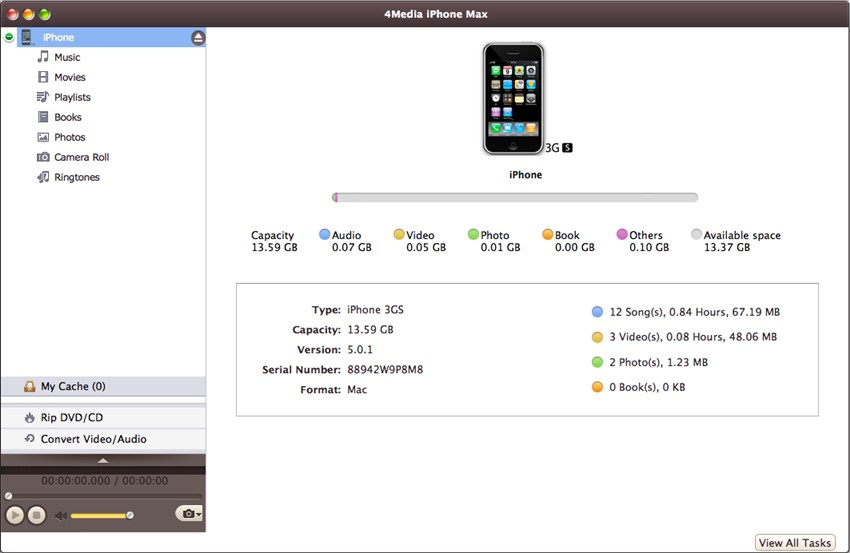

4Media iPhone Apps Transfer for Mac
Version 1.0.0.20120816
Shareware
$10.99
1 downloads
4Media iPhone Apps Transfer for Mac is the ideal
iPhone apps transfer tool for Mac users to transfer
and manage iPhone apps, it allows you copy apps to Mac
or iTunes, transfer apps back to iPhone, and
add/save/delete app documents conveniently. 4Media
iPhone Apps Transfer for Mac also supports dragging
and dropping the apps, transferring them in batch,
locating an app in one step. All iPhone models are
fully supported.
Key Functions
1.Transfer, Copy and Delete Apps for iPhone
2.Manage App Documents Conveniently
Key Features
1.All iPhone models, i.e. iPhone, iPhone 3G, iPhone
3GS, iPhone 4, CDMA iPhone 4 and iPhone 4S are
supported.
2.Transfer apps as many as you want with the apps
batch transfer technology.
3.Support to drag and drop app to realize
transferring, it makes the tool handier to use.
4.Once your iPhone is connected to Mac, all the apps
will be showed up automatically.
5.You just need to input app name to locate the app(s)
with the app search box.
6.After you choose an app, the Name, Modified time and
Size of the app documents will be showed up.
7.Interface languages in English, German, French,
Spanish, Italian, Simplified Chinese, Traditional
Chinese and Japanese are available.
iPhone apps transfer tool for Mac users to transfer
and manage iPhone apps, it allows you copy apps to Mac
or iTunes, transfer apps back to iPhone, and
add/save/delete app documents conveniently. 4Media
iPhone Apps Transfer for Mac also supports dragging
and dropping the apps, transferring them in batch,
locating an app in one step. All iPhone models are
fully supported.
Key Functions
1.Transfer, Copy and Delete Apps for iPhone
2.Manage App Documents Conveniently
Key Features
1.All iPhone models, i.e. iPhone, iPhone 3G, iPhone
3GS, iPhone 4, CDMA iPhone 4 and iPhone 4S are
supported.
2.Transfer apps as many as you want with the apps
batch transfer technology.
3.Support to drag and drop app to realize
transferring, it makes the tool handier to use.
4.Once your iPhone is connected to Mac, all the apps
will be showed up automatically.
5.You just need to input app name to locate the app(s)
with the app search box.
6.After you choose an app, the Name, Modified time and
Size of the app documents will be showed up.
7.Interface languages in English, German, French,
Spanish, Italian, Simplified Chinese, Traditional
Chinese and Japanese are available.
Program details
Publisher
4Media Software StudioE-mail
Contact the publisherPlatforms
Macintosh PPCFile size
27514 KBFile date
9/11/2012License
SharewareInstallation
Install & UninstallRecord updated
9/21/2012

