iPad Music Transfer
Version 1.8
Shareware
$29.95
0 downloads
Today users know that iPad is a new device from Apple
company which represents something between the laptop
and the smart phone. The tablet computer is the device
which combines the best features of the laptop and the
smart phone. Which advantages of this device do arouse
interest in users? IPad allows working conveniently in
a network by means of fingers, without keyboard and
mouse use. Tablet computer is attractive for people of
all age owing to its simplicity during work. The
design of tablet computer is of great importance too.
Different applications are developed for iPad and they
make iPad as practically universal device. Besides the
reputation of Apple company plays the basic role. We
pass to the task which you have - you need to learn to
copy iPad or recovery iTouch. How is it? It is very
simple. For example, it is necessary to transfer files
from iPad or on the contrary.
Transfer music from iPad is necessary in several
cases. The simplest example - your friend likes songs,
photos or video clips and he asks to copy music from
iPad to play on his player. How to transfer audio
files or video files from iPad to the usual computer
(Windows XP / 7)? Each question should have the
answer. The special utility which will help to
transfer files is required for you. Having such tool
for copying albums with music and other files, you can
transfer any information from iPad on the personal
computer or the laptop.
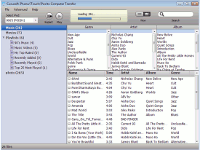
The recommended utility is created to help users to
copy iPad. If you have decided to take advantage of
such software for the first time and did not know how
to transfer files from iPad, the instruction for the
user could be helpful for you. The software is created
for operational system Windows: Windows XP, Windows
Vista and Windows 7.
company which represents something between the laptop
and the smart phone. The tablet computer is the device
which combines the best features of the laptop and the
smart phone. Which advantages of this device do arouse
interest in users? IPad allows working conveniently in
a network by means of fingers, without keyboard and
mouse use. Tablet computer is attractive for people of
all age owing to its simplicity during work. The
design of tablet computer is of great importance too.
Different applications are developed for iPad and they
make iPad as practically universal device. Besides the
reputation of Apple company plays the basic role. We
pass to the task which you have - you need to learn to
copy iPad or recovery iTouch. How is it? It is very
simple. For example, it is necessary to transfer files
from iPad or on the contrary.
Transfer music from iPad is necessary in several
cases. The simplest example - your friend likes songs,
photos or video clips and he asks to copy music from
iPad to play on his player. How to transfer audio
files or video files from iPad to the usual computer
(Windows XP / 7)? Each question should have the
answer. The special utility which will help to
transfer files is required for you. Having such tool
for copying albums with music and other files, you can
transfer any information from iPad on the personal
computer or the laptop.
The recommended utility is created to help users to
copy iPad. If you have decided to take advantage of
such software for the first time and did not know how
to transfer files from iPad, the instruction for the
user could be helpful for you. The software is created
for operational system Windows: Windows XP, Windows
Vista and Windows 7.
Program details
Publisher
Sergey GromovE-mail
Contact the publisherHome page
http://i-transfer-copy-backup.com/Platforms
Windows 98<br>Windows ME<br>Windows NT 3.x<br>WindFile size
6178 KBFile date
11/30/2012License
SharewareInstallation
Install & UninstallRecord updated
12/3/2012


