
Recovery BKF File
Version 12.10.01
Shareware
$89.00
0 downloads
Kernel for BKF recovery is an eminent tool to extract
complete data from the Windows backup file. Moreover,
it also recovers data from the BKF file created by
Veritas backup utility. BKF file recovery software is
equipped with two result-oriented data recovery modes,
which are quick mode and advance mode. Quick mode
should be used to recover data if the BKF file does not
have serious issue. If the BKF corruption level is
severe, user should try advance mode to recover backup
data. BKF recovery software also helps the exchange
administrator in recovering EDB, STM and transaction
log files from the Exchange backup file. Moreover,
Kernel for BKF recovery tool has “Save snapshot” and
“Load snapshot” options to suspend or resume the BKF
file recovery process. It also enable user to search
specific file or folder in the corrupt BKF file. BKF
file recovery software can recover inaccessible BKF
files, which are stored in fixed, portable or network
drive. Before saving the recovered files and folders,
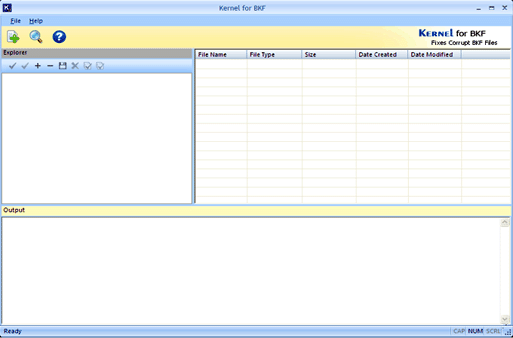
Kernel for BKF recovery software shows recovered data
in a preview list. Users can save the selected or
entire data in their system from the software’s preview
list. BKF recovery software is equipped with self
explanatory graphical interfaces and therefore,
individuals are not required to undergo training prior
to its use. One can use the trial version of BKF file
recovery tool to assess key software features. But, the
free version does not save recovered backup data.
Therefore, user should purchase the licensed version of
Kernel for BKF recovery to save all recovered data. For
more details: www.bkfrecovery.bkfrepairtool.org
complete data from the Windows backup file. Moreover,
it also recovers data from the BKF file created by
Veritas backup utility. BKF file recovery software is
equipped with two result-oriented data recovery modes,
which are quick mode and advance mode. Quick mode
should be used to recover data if the BKF file does not
have serious issue. If the BKF corruption level is
severe, user should try advance mode to recover backup
data. BKF recovery software also helps the exchange
administrator in recovering EDB, STM and transaction
log files from the Exchange backup file. Moreover,
Kernel for BKF recovery tool has “Save snapshot” and
“Load snapshot” options to suspend or resume the BKF
file recovery process. It also enable user to search
specific file or folder in the corrupt BKF file. BKF
file recovery software can recover inaccessible BKF
files, which are stored in fixed, portable or network
drive. Before saving the recovered files and folders,
Kernel for BKF recovery software shows recovered data
in a preview list. Users can save the selected or
entire data in their system from the software’s preview
list. BKF recovery software is equipped with self
explanatory graphical interfaces and therefore,
individuals are not required to undergo training prior
to its use. One can use the trial version of BKF file
recovery tool to assess key software features. But, the
free version does not save recovered backup data.
Therefore, user should purchase the licensed version of
Kernel for BKF recovery to save all recovered data. For
more details: www.bkfrecovery.bkfrepairtool.org
Program details
Publisher
BKF RecoveryE-mail
Contact the publisherPlatforms
Windows 95<br>Windows 98<br>Windows 2000<br>WindowFile size
3624 KBFile date
2/26/2013License
SharewareExpiration info
Installation
Install & UninstallRecord updated
3/7/2013


