
Tipard PDF ePub Converter
Version 3.3.26
Shareware
$25.00
2 downloads
Tipard PDF ePub Converter, the professional and
accurate PDF to ePub Converter, can help you
conveniently convert PDF to ePub format. While ePub
format is a standard eBook format, which is widely
supported by portable devices, such as Apple iPad,
iPhone and iPod touch, Sony Reader, Hanlin eReader,
etc. This PDF ePub Converter can provide you with the
best PDF to ePub converting experience. It will
preserve the original texts, layout, images, hyperlinks
and everything while converting PDF to ePub format.
Key features:
1.Convert PDF to ePub
Tipard PDF to ePub Converter provides you with powerful
function of converting PDF to ePub format.
2.Batch converting
This PDF ePub Converter also allows you to execute a
batch file. Then you can get numerous ePub files with
only one conversion.
3.Convert selected PDF pages
With PDF ePub Converter, you can convert the whole PDF
file or current PDF page to ePub file. Also you can
even convert the selected PDF pages through inputting
the page range or page numbers.
4.Preview PDF
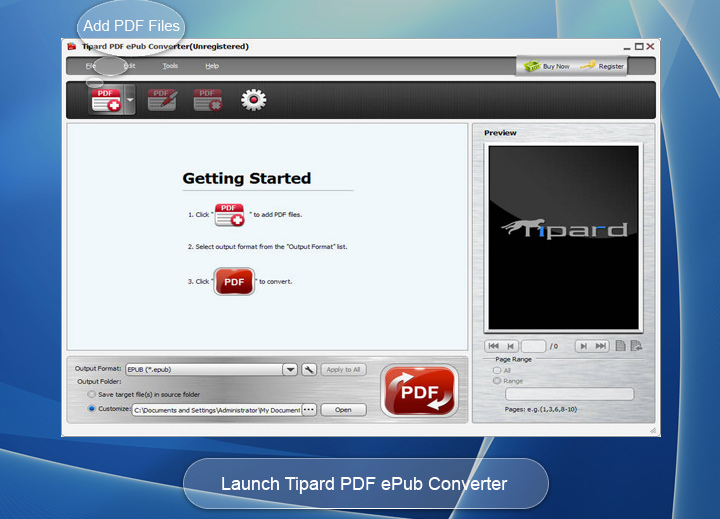
This PDF ePub Converter enables you to preview the PDF
content before converting.
5.Best output quality
The outputted ePub file will be exactly the same with
the original PDF file. The original make-up, texts,
images, etc will be kept intact.
6.Support almost all languages
Tipard PDF ePub Converter supports nearly all languages
of PDF files, including English, Turkish, Thai, Latin,
Korean, Greek, Cyrillic, Arabic, Japanese, Chinese, etc.
7.Highest speed
With only a few mouse clicks, you can finish the PDF to
ePub converting with the fewest time.
8.Easy to use
It possesses an intuitive interface, which will make
the PDF to ePub converting operation much easily.
accurate PDF to ePub Converter, can help you
conveniently convert PDF to ePub format. While ePub
format is a standard eBook format, which is widely
supported by portable devices, such as Apple iPad,
iPhone and iPod touch, Sony Reader, Hanlin eReader,
etc. This PDF ePub Converter can provide you with the
best PDF to ePub converting experience. It will
preserve the original texts, layout, images, hyperlinks
and everything while converting PDF to ePub format.
Key features:
1.Convert PDF to ePub
Tipard PDF to ePub Converter provides you with powerful
function of converting PDF to ePub format.
2.Batch converting
This PDF ePub Converter also allows you to execute a
batch file. Then you can get numerous ePub files with
only one conversion.
3.Convert selected PDF pages
With PDF ePub Converter, you can convert the whole PDF
file or current PDF page to ePub file. Also you can
even convert the selected PDF pages through inputting
the page range or page numbers.
4.Preview PDF
This PDF ePub Converter enables you to preview the PDF
content before converting.
5.Best output quality
The outputted ePub file will be exactly the same with
the original PDF file. The original make-up, texts,
images, etc will be kept intact.
6.Support almost all languages
Tipard PDF ePub Converter supports nearly all languages
of PDF files, including English, Turkish, Thai, Latin,
Korean, Greek, Cyrillic, Arabic, Japanese, Chinese, etc.
7.Highest speed
With only a few mouse clicks, you can finish the PDF to
ePub converting with the fewest time.
8.Easy to use
It possesses an intuitive interface, which will make
the PDF to ePub converting operation much easily.
Program details
Publisher
Tipard StudioE-mail
Contact the publisherPlatforms
Windows NT 4.x<br>Windows 2000<br>Windows XPFile size
3502 KBFile date
3/16/2013License
SharewareExpires on
6/30/2013Expires after
99 daysExpiration info
Trial version can convert files for 5 minutes.Installation
Install & UninstallRecord updated
3/17/2013

