
Capture Section Of Screen Software
Version 7.0
Shareware
$19.99
2 downloads
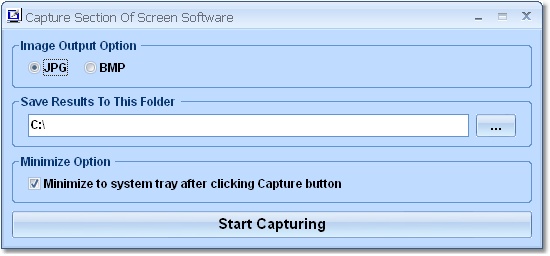
This software offers a solution for users wanting to
capture a specific part of the screen and save it as
an image file. You simply choose the format (JPG or
BMP) and the folder for saving the image. One click on
the Start Capturing button turns the mouse pointer
into an area selection tool. Simply move the cross to
one corner of the area you want to capture, hold down
the left mouse button and drag open the selection
rectangle to cover the area you want. When you release
the mouse button, the image of that screen area is
automatically saved. This user-friendly software can,
for example, be very useful for creating quick images
of pieces of work, adding images from a website to an
email message or reporting errors. As the saying goes,
sometimes a picture is worth a thousand words.
capture a specific part of the screen and save it as
an image file. You simply choose the format (JPG or
BMP) and the folder for saving the image. One click on
the Start Capturing button turns the mouse pointer
into an area selection tool. Simply move the cross to
one corner of the area you want to capture, hold down
the left mouse button and drag open the selection
rectangle to cover the area you want. When you release
the mouse button, the image of that screen area is
automatically saved. This user-friendly software can,
for example, be very useful for creating quick images
of pieces of work, adding images from a website to an
email message or reporting errors. As the saying goes,
sometimes a picture is worth a thousand words.
Program details
Publisher
Peter SobolE-mail
Contact the publisherPlatforms
Windows ME<br>Windows 2000<br>Windows XPFile size
2821 KBFile date
9/4/2013License
SharewareInstallation
Install & UninstallRecord updated
4/10/2013


