
Wise Unerase Deleted Files
Version 2.8.8
Shareware
$49.97
0 downloads
To make a new hard disk into use, you need to format
it. When you format a hard drive, your computer
deletes all bookkeeping information on your disk,
tests the disk to make all sectors reliable, marks bad
sectors and makes internal address tables for later
use to locate information. Every Hard Disk should be
formatted before use. Wise Unerase Deleted Files is
one of the best software that can help you to unerase
the data from a formatted disk. Why could we unerase
files from hard drive? Many friends find that there
are a lot of important files after they format their
hard drive. How to recover the data from a formatted
disk? After you format a disk. In fact, if you know a
little about how disk works, you will know it still in
your disk. It just rewrites the files in Disk C Boot
Sector and only the data in this partition is deleted.
However it didn't change any other information in your
hard disk. How to recover formatted files via Wise
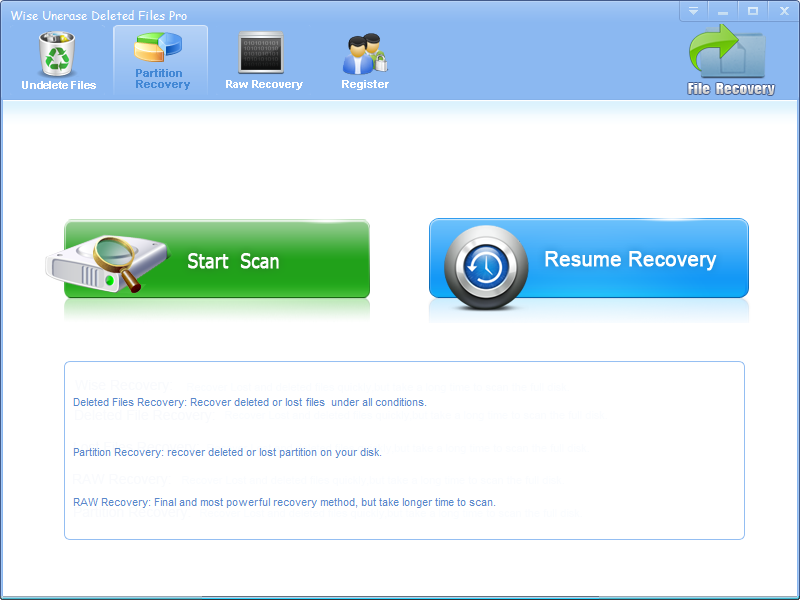
Unerase Deleted Files? 1. Download Wise Unerase
Deleted Files, install it and launch it. Click
the "Start Scan" button on the main window of Wise
it. When you format a hard drive, your computer
deletes all bookkeeping information on your disk,
tests the disk to make all sectors reliable, marks bad
sectors and makes internal address tables for later
use to locate information. Every Hard Disk should be
formatted before use. Wise Unerase Deleted Files is
one of the best software that can help you to unerase
the data from a formatted disk. Why could we unerase
files from hard drive? Many friends find that there
are a lot of important files after they format their
hard drive. How to recover the data from a formatted
disk? After you format a disk. In fact, if you know a
little about how disk works, you will know it still in
your disk. It just rewrites the files in Disk C Boot
Sector and only the data in this partition is deleted.
However it didn't change any other information in your
hard disk. How to recover formatted files via Wise
Unerase Deleted Files? 1. Download Wise Unerase
Deleted Files, install it and launch it. Click
the "Start Scan" button on the main window of Wise
Program details
Publisher
Jack ChiinE-mail
Contact the publisherPlatforms
Windows 98<br>Windows NT 3.x<br>Windows NT 4.x<br>File size
7942 KBFile date
4/22/2013License
SharewareInstallation
Install & UninstallRecord updated
5/16/2013


