
GiMeSpace Cam Control
Version 1.0.0.5
Freeware
Free
0 downloads
Control your computer by making gestures in front of
your webcam! You can simulate mouse movements, the
keyboard cursor keys, or control the GiMeSpace virtual
desktop manangers.
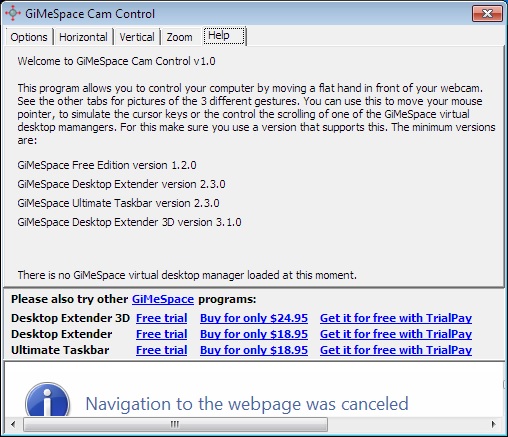
This program allows you to control your computer by
making movements with a flat hand in front of your
webcam. There are 3 gestures:
- move in horizontal direction while your hand is
vertical.
- move in vertical direction while your hand is
horizontal.
- move in horizontal direction with 2 hands making
a 'zooming' gesture.
To control a GiMeSpace virtual desktop manager, you
need to use one that is capable of this. These are the
minimum versions that support this:
GiMeSpace Free Edition version 1.2.0
GiMeSpace Desktop Extender version 2.3.0
your webcam! You can simulate mouse movements, the
keyboard cursor keys, or control the GiMeSpace virtual
desktop manangers.
This program allows you to control your computer by
making movements with a flat hand in front of your
webcam. There are 3 gestures:
- move in horizontal direction while your hand is
vertical.
- move in vertical direction while your hand is
horizontal.
- move in horizontal direction with 2 hands making
a 'zooming' gesture.
To control a GiMeSpace virtual desktop manager, you
need to use one that is capable of this. These are the
minimum versions that support this:
GiMeSpace Free Edition version 1.2.0
GiMeSpace Desktop Extender version 2.3.0
Program details
Publisher
Jorrit IJpenbergE-mail
Contact the publisherHome page
http://gimespace.com/camctrl.htmlPlatforms
Windows XPFile size
692 KBFile date
4/30/2013License
FreewareInstallation
Install & UninstallRecord updated
5/26/2013


