
Windows Backup Recovery Solution
Version 5.6
Shareware
$89.00
0 downloads
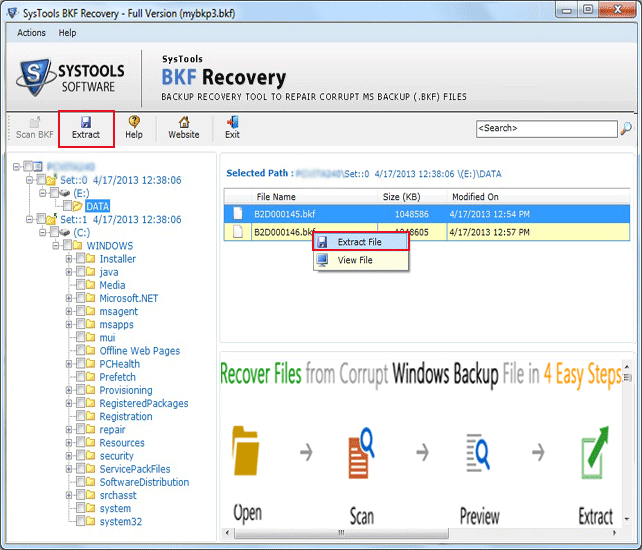
Get a Windows backup recovery solution which is
designed to repair corrupt BKF files and restore the
entire data in windows backup utility in safe mode. If
you want to get rid of the BKF error issue, then use
Microsoft backup recovery software for recovering
corrupt MS BKF file and restoring BKF file. BKF
recovery tool has advanced features that are Quick
Scan, Deep Scan and Range Based Scan. Quick Scan: you
can perform a quick scan of large sized corrupt BKF
file. Deep Scan: you can perform a deep scan using
this feature, and restore completely corrupt BKF
file. "Range Based Scan" you can quickly do Range
Based scans if you want to extract only a small
portion of data from some large sized BKF file. As
well as supporting to recover BKF files created with
Backup Exec by VERITAS. Download free demo version
from our website and evaluate the working efficiency
of this tool. Free demonstration is available for you
designed to repair corrupt BKF files and restore the
entire data in windows backup utility in safe mode. If
you want to get rid of the BKF error issue, then use
Microsoft backup recovery software for recovering
corrupt MS BKF file and restoring BKF file. BKF
recovery tool has advanced features that are Quick
Scan, Deep Scan and Range Based Scan. Quick Scan: you
can perform a quick scan of large sized corrupt BKF
file. Deep Scan: you can perform a deep scan using
this feature, and restore completely corrupt BKF
file. "Range Based Scan" you can quickly do Range
Based scans if you want to extract only a small
portion of data from some large sized BKF file. As
well as supporting to recover BKF files created with
Backup Exec by VERITAS. Download free demo version
from our website and evaluate the working efficiency
of this tool. Free demonstration is available for you
Program details
Publisher
Mark AdamE-mail
Contact the publisherPlatforms
Windows 98<br>Windows XPFile size
2068 KBFile date
6/22/2013License
SharewareInstallation
Install & UninstallRecord updated
6/22/2013