
Automatically Copy USB Files When Connected Software
Version 7.0
Shareware
$19.99
0 downloads
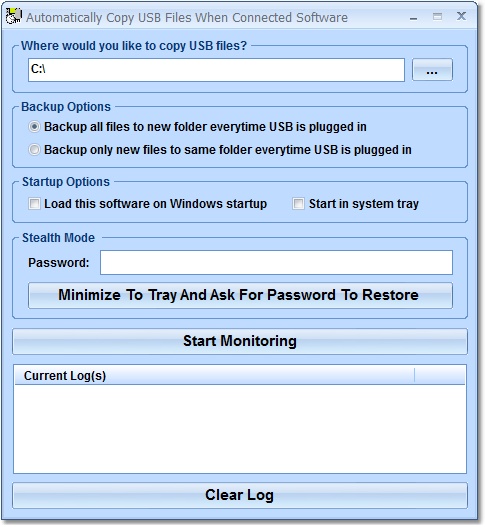
This software offers a solution to users who want to
automatically copy files on a USB drive when it is
connected to the PC. The user chooses the destination
folder for the copies and then the option to backup
all files to a new folder each time the stick is
connected or to only backup new files on the drive to
the specified folder. A log is kept of all file
activity. With this software, you can transfer files
from your USB to your hard drive quickly without
having to use the usual Windows Explorer interface.
automatically copy files on a USB drive when it is
connected to the PC. The user chooses the destination
folder for the copies and then the option to backup
all files to a new folder each time the stick is
connected or to only backup new files on the drive to
the specified folder. A log is kept of all file
activity. With this software, you can transfer files
from your USB to your hard drive quickly without
having to use the usual Windows Explorer interface.
Program details
Publisher
Peter SobolE-mail
Contact the publisherPlatforms
Windows 98<br>Windows ME<br>Windows 2000<br>WindowFile size
24811 KBFile date
9/18/2010License
SharewareInstallation
Install & UninstallRecord updated
7/16/2013


