
Disable Keyboard Buttons and Mouse Clicks Software
Version 7.0
Shareware
$19.99
0 downloads
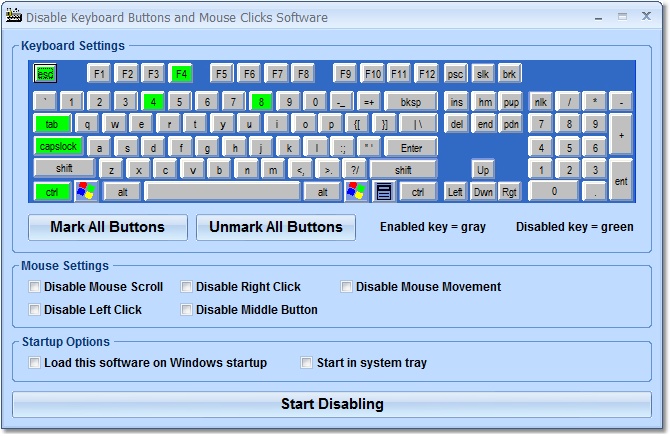
This software offers a solution to users who want to
disable certain keyboard keys and/or mouse actions.
The user can select specific keys from the displayed
keyboard or mark or unmark all keys at once. For the
mouse, there are check boxes to disable: scroll, left
click, right click, the middle button or movement (the
cursor will not move). There are check boxes to allow
the software to load on Windows startup and to start
in the system tray.
disable certain keyboard keys and/or mouse actions.
The user can select specific keys from the displayed
keyboard or mark or unmark all keys at once. For the
mouse, there are check boxes to disable: scroll, left
click, right click, the middle button or movement (the
cursor will not move). There are check boxes to allow
the software to load on Windows startup and to start
in the system tray.
Program details
Publisher
Peter SobolE-mail
Contact the publisherPlatforms
Windows 98<br>Windows ME<br>Windows 2000<br>WindowFile size
5786 KBFile date
4/25/2010License
SharewareInstallation
Install & UninstallRecord updated
8/8/2013

