
Export Lotus Notes Archive to Outlook
Version 9.4
Shareware
$250.00
1 downloads
Export Lotus Notes archive to Outlook with Perfection.
Before going to convert Notes archive to Outlook we
need to know some basics of email archive. E-mail
archiving is the process where users save their
essential e-mail data into a folder called archive for
further references. After archiving lotus notes emails
the file extension remain same .nsf and no any
alteration or changes in database happen. So, if you
will pick any Lotus Notes to Outlook data converter
then you can effectively convert your Notes archive
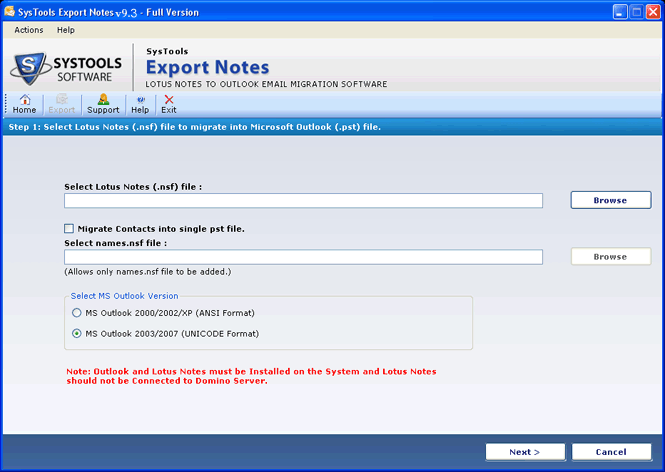
into PST format. You can use Export Notes software that
converts whole Lotus Notes data including calendar,
contacts, archive, emails etc into Outlook. Know more
about this utility here-
http://www.convertnsf.com/convert-notes-archive-to-outlook
Before going to convert Notes archive to Outlook we
need to know some basics of email archive. E-mail
archiving is the process where users save their
essential e-mail data into a folder called archive for
further references. After archiving lotus notes emails
the file extension remain same .nsf and no any
alteration or changes in database happen. So, if you
will pick any Lotus Notes to Outlook data converter
then you can effectively convert your Notes archive
into PST format. You can use Export Notes software that
converts whole Lotus Notes data including calendar,
contacts, archive, emails etc into Outlook. Know more
about this utility here-
http://www.convertnsf.com/convert-notes-archive-to-outlook
Program details
Publisher
Convert Notes Archive to OutlookE-mail
Contact the publisherPlatforms
Windows 98<br>Windows XPFile size
4505 KBFile date
8/28/2013License
SharewareExpiration info
Installation
Install & UninstallRecord updated
8/28/2013


