
How to Restore Exchange
Version 15.3
Shareware
$399.00
0 downloads
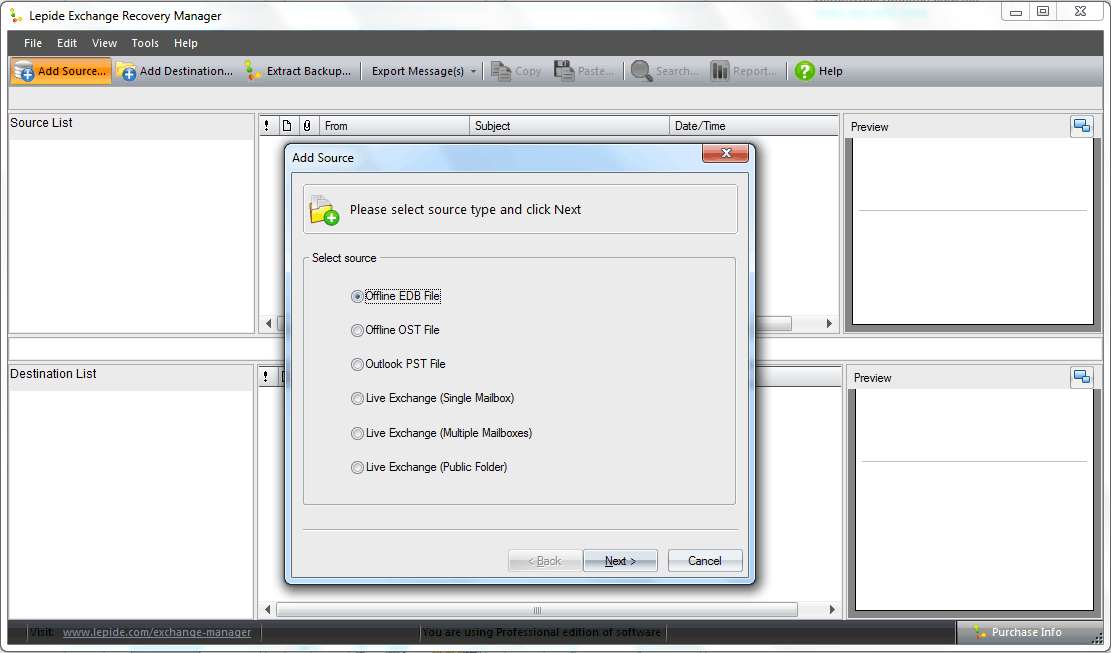
Lepide Exchange Recovery manager is equipped with smart
algorithms to facilitate complete and quick recovery of
inaccessible Exchange mailbox data. It is an EDB to PST
file conversion tool.
Exchange administrators often confront with the issue
“How to restore Exchange Server mailboxes from corrupt
Server?” This issue can be swiftly resolved with the
help of Lepide Exchange Recovery Manager.
Lepide Exchange Recovery Manager can recover Exchange
Server mailboxes from both public and private EDB
folders. It also retrieves Exchange mailboxes from
other sources such as OST, PST and Exchange Backups. It
sets up instant connection with Live Exchange by using
an existing Outlook profile and also facilitates user
to create log file in debug mode.
Lepide Exchange Recovery Manager retrieves mailbox data
from the offline EDB backups that are created with
Veritas, Symantic, MS Windows, HP and CA ARCbackup
utilities. It also exports recovered Exchange mailboxes
to Live Exchange Server or Office 365 emailing platform.
Lepide Exchange Recovery Manager allows user to find
specific email items in an Exchange account on the
basis of various filter options such as To, From,
Subject, Message Body, Attachment type and Attachment
size. Lepide Exchange Recovery Manager also supports
mailbox migration over same or different MS Exchange
Servers and enables the user to convert Unicode
characters as well.
Lepide Exchange Recovery Manager is available in two
versions. It’s recommended to try the trail version
first, as it will give you a fair idea about the
functionality of software. The trial version is just
like the full version, but it’s available only for 15
days. To avail the long term benefits, you can purchase
its licensed version from here: www.restoreexchange.net.
algorithms to facilitate complete and quick recovery of
inaccessible Exchange mailbox data. It is an EDB to PST
file conversion tool.
Exchange administrators often confront with the issue
“How to restore Exchange Server mailboxes from corrupt
Server?” This issue can be swiftly resolved with the
help of Lepide Exchange Recovery Manager.
Lepide Exchange Recovery Manager can recover Exchange
Server mailboxes from both public and private EDB
folders. It also retrieves Exchange mailboxes from
other sources such as OST, PST and Exchange Backups. It
sets up instant connection with Live Exchange by using
an existing Outlook profile and also facilitates user
to create log file in debug mode.
Lepide Exchange Recovery Manager retrieves mailbox data
from the offline EDB backups that are created with
Veritas, Symantic, MS Windows, HP and CA ARCbackup
utilities. It also exports recovered Exchange mailboxes
to Live Exchange Server or Office 365 emailing platform.
Lepide Exchange Recovery Manager allows user to find
specific email items in an Exchange account on the
basis of various filter options such as To, From,
Subject, Message Body, Attachment type and Attachment
size. Lepide Exchange Recovery Manager also supports
mailbox migration over same or different MS Exchange
Servers and enables the user to convert Unicode
characters as well.
Lepide Exchange Recovery Manager is available in two
versions. It’s recommended to try the trail version
first, as it will give you a fair idea about the
functionality of software. The trial version is just
like the full version, but it’s available only for 15
days. To avail the long term benefits, you can purchase
its licensed version from here: www.restoreexchange.net.
Program details
Publisher
How to Restore ExchangeE-mail
Contact the publisherHome page
http://www.restoreexchange.net/Platforms
Win7 x32<br>Win7 x64<br>Win8 x32<br>Win8 x64<br>WinServer<br>Windows XP<br>Windows 2000<br>Windows 98<br>WinVista<br>WinVista x64File size
57139 KBFile date
10/8/2015License
SharewareExpiration info
Installation
Install & UninstallRecord updated
10/12/2015
