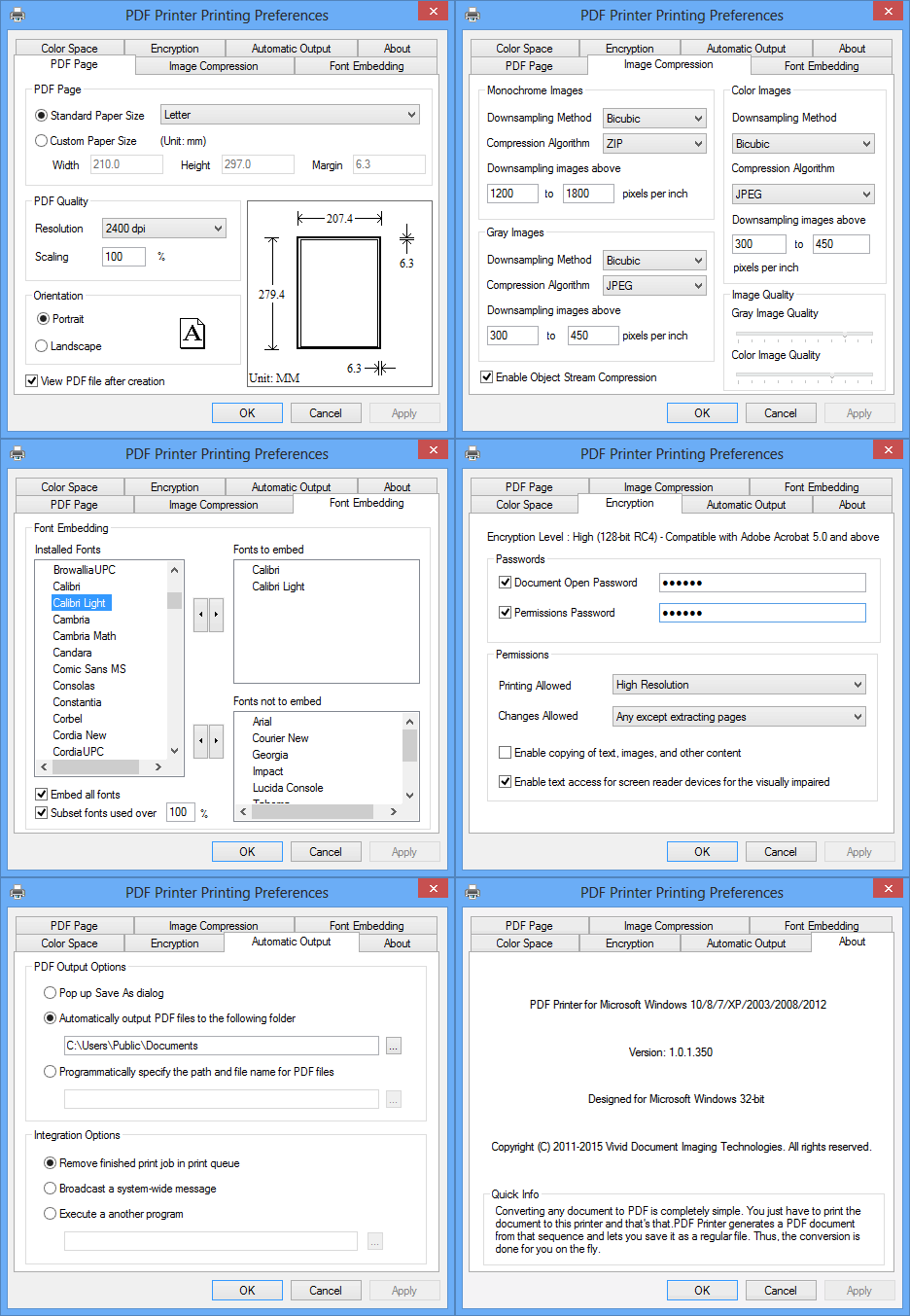

PDF Printer for Windows 10
Version 1.01
Shareware
$69.00
0 downloads
To an application, the PDF Printer for Windows 10
looks like a printer and allows the application to
write a document as a PDF Document in the same way it
would print the document to the printer. When a user
prints their document to PDF Printer, rather than
sending the file to a laser jet or inkjet printer, the
software creates a PDF Document.
Features:
Easily create Adobe PDF documents
Easily create Adobe PDF documents from Microsoft Word,
Excel, PowerPoint, Access, Outlook, Project, Visio,
Publisher, Internet Explorer, AutoCAD, Lotus Notes,
Quark Express, Xpress or any application that prints.
Convert e-mail to Adobe PDF files
Convert e-mail in Microsoft Outlook, Outlook Express,
or IBM Lotus Notes to Adobe PDF documents by printing
from within e-mail message.
Archive web pages as Adobe PDF files
Convert web pages to Adobe PDF documents to easily
archive or share.
Optimize Adobe PDF output
Select from multiple quality settings for text and
graphics to optimize PDF output for your intended
purpose, such as CMYK compliant output, ICC profiled
output.
Quickly regenerate a PDF file
Regenerate a PDF document by printing that document
for your intended purpose.
Embed fonts of your choice
Automatic and manual settings for font embedding and
subsetting. To embed all fonts can be done with a
click.
Apply passwords and assign permissions
Control access to and use of Adobe PDF documents by
applying password and assigning permissions to help
restrict who can print, save, copy, or modify a
document, and maintain document integrity.
Remove sensitive and hidden data
Permanently remove sensitive metadata, hidden layers,
and other concealed information.
Designed for Microsoft Windows 10 64-bit (x64 Edition)
and 32-bit (x86 Edition), and backward compatible with
Microsoft Windows 8.1, 8, 7, Vista, Windows XP,
Windows Server 2012, Windows Server 2008, and Windows
Server 2003.
looks like a printer and allows the application to
write a document as a PDF Document in the same way it
would print the document to the printer. When a user
prints their document to PDF Printer, rather than
sending the file to a laser jet or inkjet printer, the
software creates a PDF Document.
Features:
Easily create Adobe PDF documents
Easily create Adobe PDF documents from Microsoft Word,
Excel, PowerPoint, Access, Outlook, Project, Visio,
Publisher, Internet Explorer, AutoCAD, Lotus Notes,
Quark Express, Xpress or any application that prints.
Convert e-mail to Adobe PDF files
Convert e-mail in Microsoft Outlook, Outlook Express,
or IBM Lotus Notes to Adobe PDF documents by printing
from within e-mail message.
Archive web pages as Adobe PDF files
Convert web pages to Adobe PDF documents to easily
archive or share.
Optimize Adobe PDF output
Select from multiple quality settings for text and
graphics to optimize PDF output for your intended
purpose, such as CMYK compliant output, ICC profiled
output.
Quickly regenerate a PDF file
Regenerate a PDF document by printing that document
for your intended purpose.
Embed fonts of your choice
Automatic and manual settings for font embedding and
subsetting. To embed all fonts can be done with a
click.
Apply passwords and assign permissions
Control access to and use of Adobe PDF documents by
applying password and assigning permissions to help
restrict who can print, save, copy, or modify a
document, and maintain document integrity.
Remove sensitive and hidden data
Permanently remove sensitive metadata, hidden layers,
and other concealed information.
Designed for Microsoft Windows 10 64-bit (x64 Edition)
and 32-bit (x86 Edition), and backward compatible with
Microsoft Windows 8.1, 8, 7, Vista, Windows XP,
Windows Server 2012, Windows Server 2008, and Windows
Server 2003.
Program details
Publisher
Alicia MartinezE-mail
Contact the publisherPlatforms
Win7 x32<br>Win7 x64<br>Win8 x32<br>Win8 x64<br>WinServer<br>Windows XPFile size
2319 KBFile date
2/1/2015License
SharewareInstallation
Install & UninstallRecord updated
2/7/2015
