
WinToUSB
Version 3.1
Freeware
Free
0 downloads
WinToUSB (also called Windows To USB) is the best free
Windows To Go Creator that allows you to install and
run Windows operating system on an external hard drive
or USB flash drive, using an ISO/WIM/ESD/SWM/VHD/VHDX
image file or CD/DVD drive as the source of
installation, or you can clone current Windows OS
installation (Windows 7 or later) to a USB drive as a
Windows To Go Workspace. WinToUSB also supports
creating a Windows installation USB flash drive from a
Windows 10/8.1/8/7/Vista/2008/2012/2016 installation
ISO file, so you can install Windows from the USB
flash drive easily. Oh, WinToUSB also supports
creating a bootable Windows PE USB drive, it can help
you transfer the contents of Windows PE to a USB drive
and make the USB drive bootable.
WinToUSB's key features include:
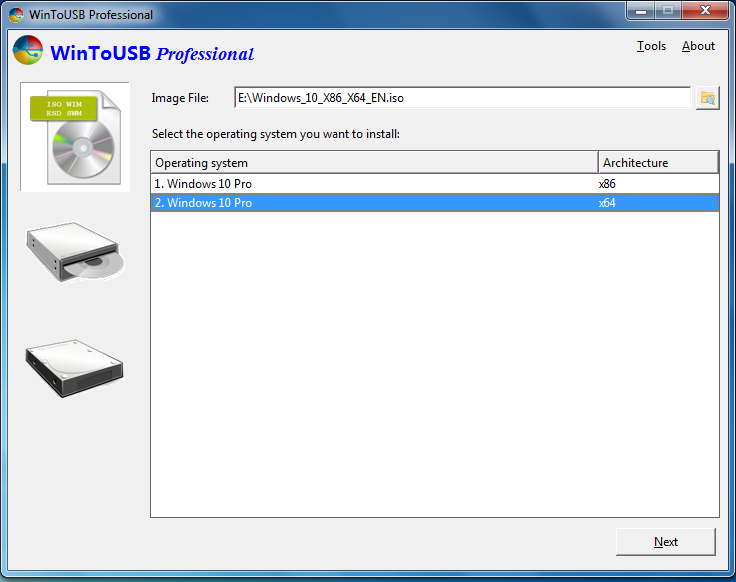
Easy-to-use wizard interface that provides step-by-
step instructions for creating a Windows To Go USB
drive.
Creation of Windows To Go from an ISO/WIM/ESD/SWM
Windows To Go Creator that allows you to install and
run Windows operating system on an external hard drive
or USB flash drive, using an ISO/WIM/ESD/SWM/VHD/VHDX
image file or CD/DVD drive as the source of
installation, or you can clone current Windows OS
installation (Windows 7 or later) to a USB drive as a
Windows To Go Workspace. WinToUSB also supports
creating a Windows installation USB flash drive from a
Windows 10/8.1/8/7/Vista/2008/2012/2016 installation
ISO file, so you can install Windows from the USB
flash drive easily. Oh, WinToUSB also supports
creating a bootable Windows PE USB drive, it can help
you transfer the contents of Windows PE to a USB drive
and make the USB drive bootable.
WinToUSB's key features include:
Easy-to-use wizard interface that provides step-by-
step instructions for creating a Windows To Go USB
drive.
Creation of Windows To Go from an ISO/WIM/ESD/SWM
Program details
Publisher
Xin YangE-mail
Contact the publisherPlatforms
Win7 x32<br>Win7 x64<br>Windows 10<br>WinServer<br>Windows XP<br>WinVista<br>WinVista x64File size
5387 KBFile date
6/7/2016License
FreewareInstallation
Install & UninstallRecord updated
7/6/2016