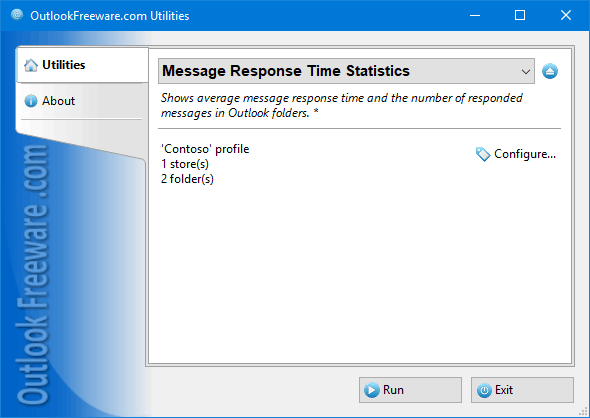

Message Response Time Statistics
Version 4.10
Freeware
Free
0 downloads
This free utility provides a set of 12 productivity
reports for Outlook. Reports show how many messages
have been received, replied, forwarded, or left with
no action and how much time, on average, was spent on
each of these actions. You can specify the desired
Outlook mail folders and the required time period. All
reports are divided into two categories: by the
received time of the message ("Received messages"
mode) and by the message response time ("Message
actions" mode). If the first mode is selected, the
utility uses message received time to count emails. In
the second mode, the message reply date is used to
count emails. Resulting data can be grouped by date,
month, year, hour of day, day of week, or month.
The easiest way to assess your productivity when
working with Outlook email, as well as the
effectiveness of the support team, and all
professionals and staff who work with the email, is to
count how many messages each employee handles and at
what speed. These reports allow you to compare user
measures and optimize your resources and resources of
reports for Outlook. Reports show how many messages
have been received, replied, forwarded, or left with
no action and how much time, on average, was spent on
each of these actions. You can specify the desired
Outlook mail folders and the required time period. All
reports are divided into two categories: by the
received time of the message ("Received messages"
mode) and by the message response time ("Message
actions" mode). If the first mode is selected, the
utility uses message received time to count emails. In
the second mode, the message reply date is used to
count emails. Resulting data can be grouped by date,
month, year, hour of day, day of week, or month.
The easiest way to assess your productivity when
working with Outlook email, as well as the
effectiveness of the support team, and all
professionals and staff who work with the email, is to
count how many messages each employee handles and at
what speed. These reports allow you to compare user
measures and optimize your resources and resources of
Program details
Publisher
Outlook FreewareE-mail
Contact the publisherPlatforms
Win7 x32<br>Win7 x64<br>Windows 10<br>WinServer<br>Windows XP<br>Windows 2000<br>WinVista<br>WinVista x64<br>WinOtherFile size
317 KBFile date
3/9/2018License
FreewareInstallation
Install & UninstallRecord updated
10/17/2018


