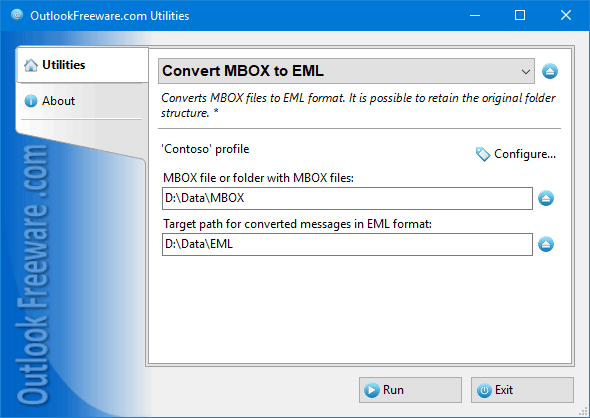

Convert MBOX to EML Files for Outlook
Version 4.4
Freeware
Free
0 downloads
This utility quickly splits large MBOX message
database files into separate message files in EML
format. After that, you can work with them directly in
Windows Explorer, do a search, send to other users,
and import into Outlook and other email clients.
Virtually nothing can be done with message databases
in MBOX format. This format is not supported directly
in Outlook and other mail clients. All messages in
MBOX format are in a single file, separate for each
folder. File size can be very large - up to tens of
gigabytes. Working with such large files causes great
inconvenience. Messages in various MBOX formats
(mboxo, mboxrd, mboxcl, mboxcl2 and others) were
supported earlier by many mailers, but this format is
rare and outdated. One of the easiest ways to transfer
old messages to new email programs is to convert to
EML format and import.
This utility can convert multiple MBOX files at once.
Here, a new folder will be created for each file. If
MBOX files reside in nested folders, a similar folder
structure can be created for resulting EML message
database files into separate message files in EML
format. After that, you can work with them directly in
Windows Explorer, do a search, send to other users,
and import into Outlook and other email clients.
Virtually nothing can be done with message databases
in MBOX format. This format is not supported directly
in Outlook and other mail clients. All messages in
MBOX format are in a single file, separate for each
folder. File size can be very large - up to tens of
gigabytes. Working with such large files causes great
inconvenience. Messages in various MBOX formats
(mboxo, mboxrd, mboxcl, mboxcl2 and others) were
supported earlier by many mailers, but this format is
rare and outdated. One of the easiest ways to transfer
old messages to new email programs is to convert to
EML format and import.
This utility can convert multiple MBOX files at once.
Here, a new folder will be created for each file. If
MBOX files reside in nested folders, a similar folder
structure can be created for resulting EML message
Program details
Publisher
Outlook FreewareE-mail
Contact the publisherPlatforms
Win7 x32<br>Win7 x64<br>Windows 10<br>WinServer<br>Windows XP<br>Windows 2000<br>WinVista<br>WinVista x64<br>WinOtherFile size
304 KBFile date
6/3/2017License
FreewareInstallation
Install & UninstallRecord updated
3/8/2017